Written by
Hamish Thomson
Published on
November 23, 2026

When learners sign in, they now open a home page built around a map of their sites. This new learner experience has been optimised for mobile and features light, dark or system mode. Each site shows as a pin on the map and as a card in the locations panel beside it. A pin popup shows the site status and the training for that site. Learners can zoom the map, or select "Show my location" to center it on where they are. Each course shows as a card in a carousel, with its status and a button to start or continue the training. When a learner completes a course, they can download the certificate from its card.
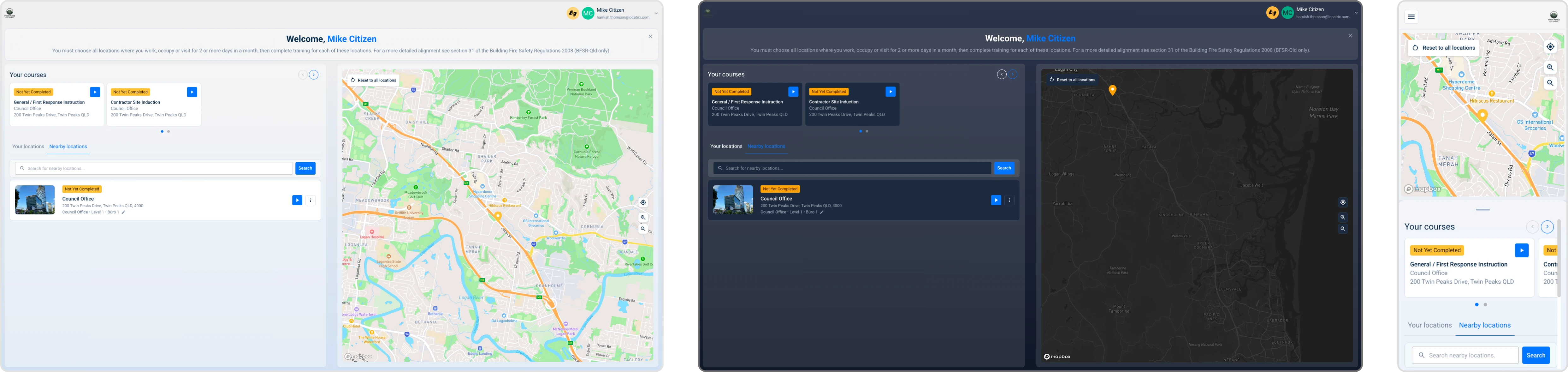
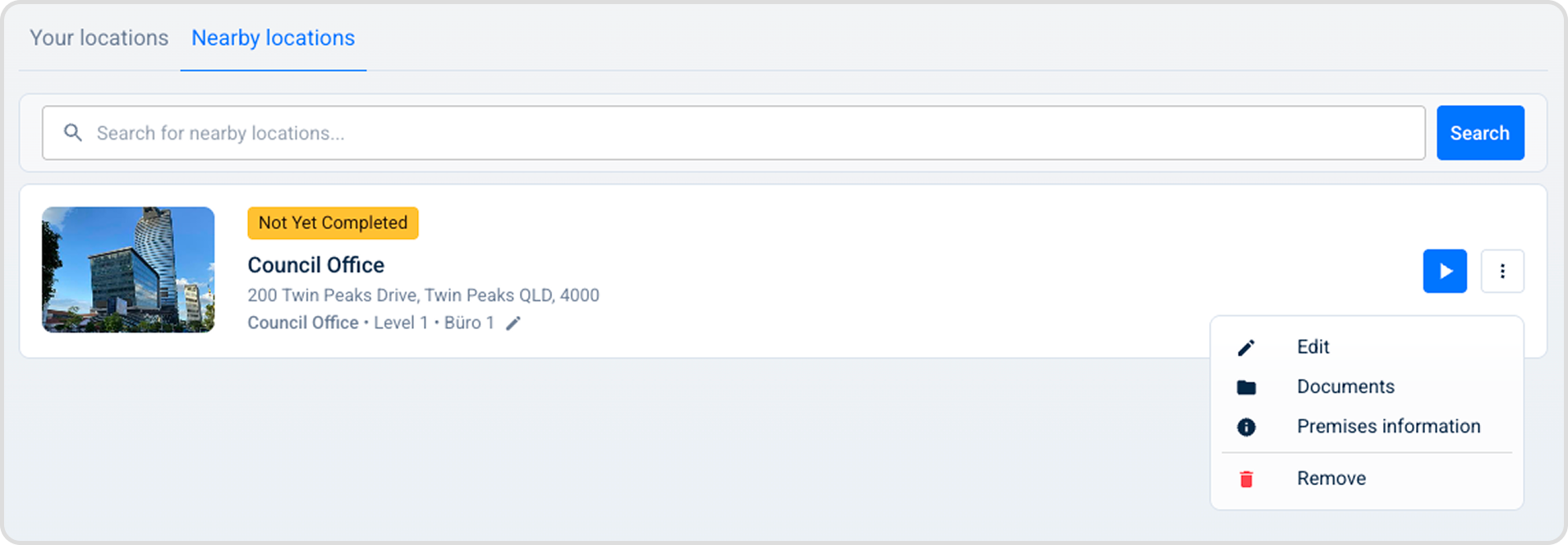
The locations panel has two tabs: Your locations and Nearby locations. A search bar finds any site the learner can join. To add a site, the learner selects it, then selects their role and work areas in one guided popup. ECO members get one more step, which records their ECO details. To change work areas or to remove a location, the learner uses the menu on the location card.
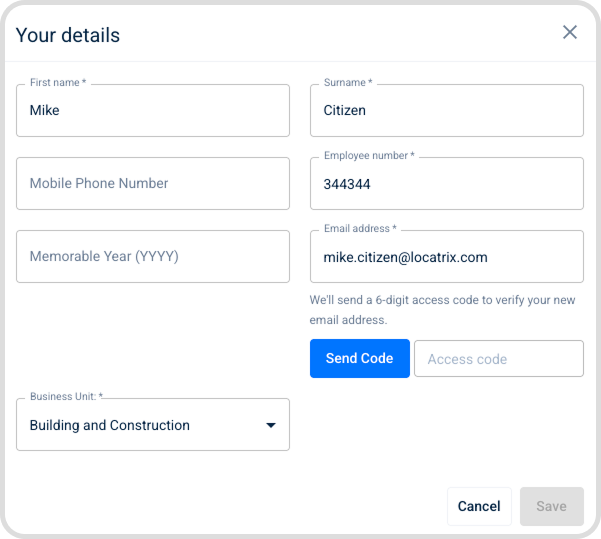
The Your details dialog lets learners view and edit their name, email address and mobile number. To change an email address or a mobile number, the learner enters an access code that PlanSafe sends to that address or number.
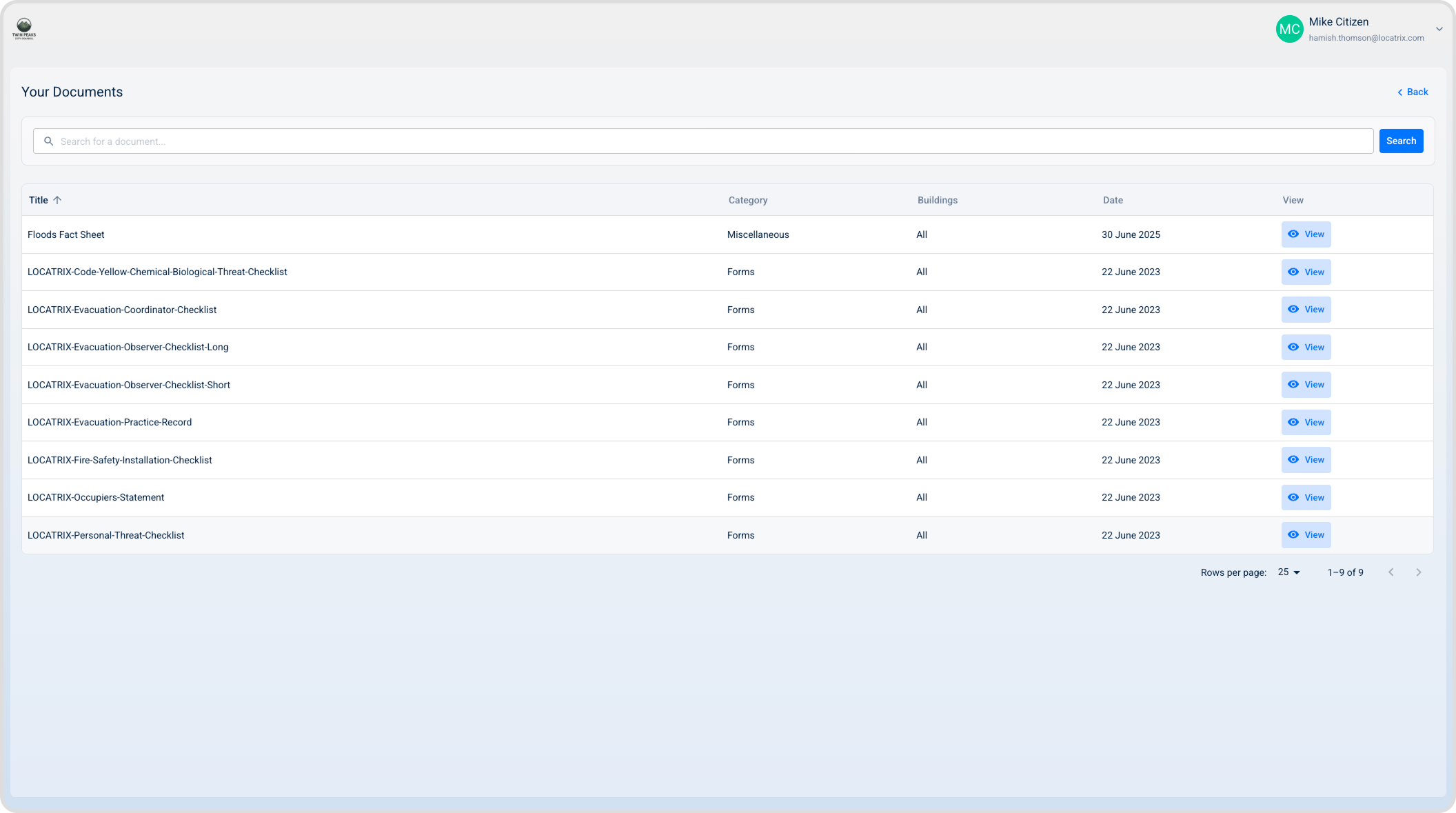
A documents page shows the documents that administrators share with the learner, with a search bar to find them. On a phone, the documents show as cards.
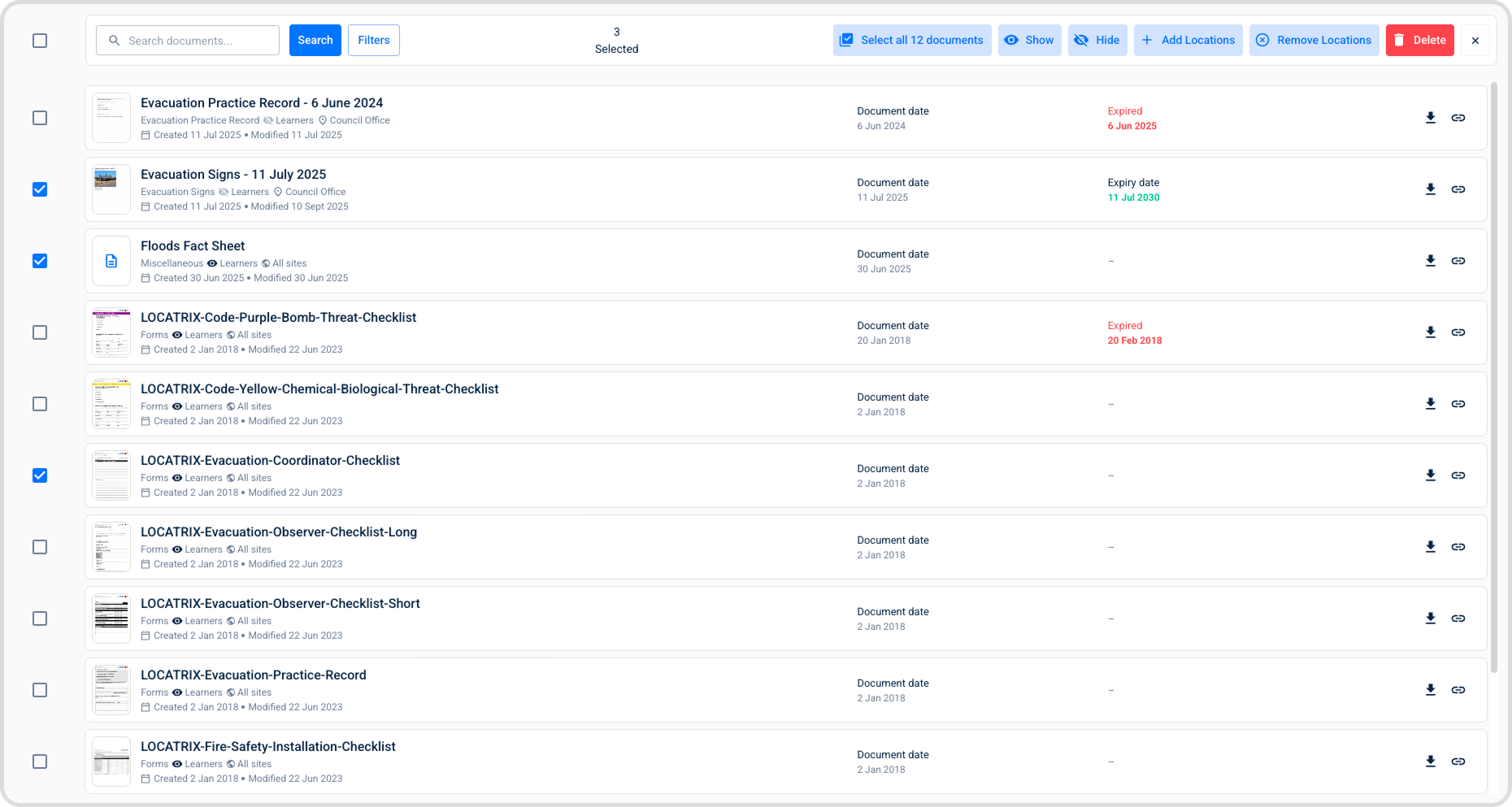
The Documents & Records page is rebuilt. The list shows a thumbnail for each document and scrolls inside the page, with the same pagination as the other admin pages. Administrators search by title and filter by category and by type. A spinner shows while the list updates. Status icons show which documents learners can see. A globe icon marks a global document, and a grey icon marks a setting that is off.
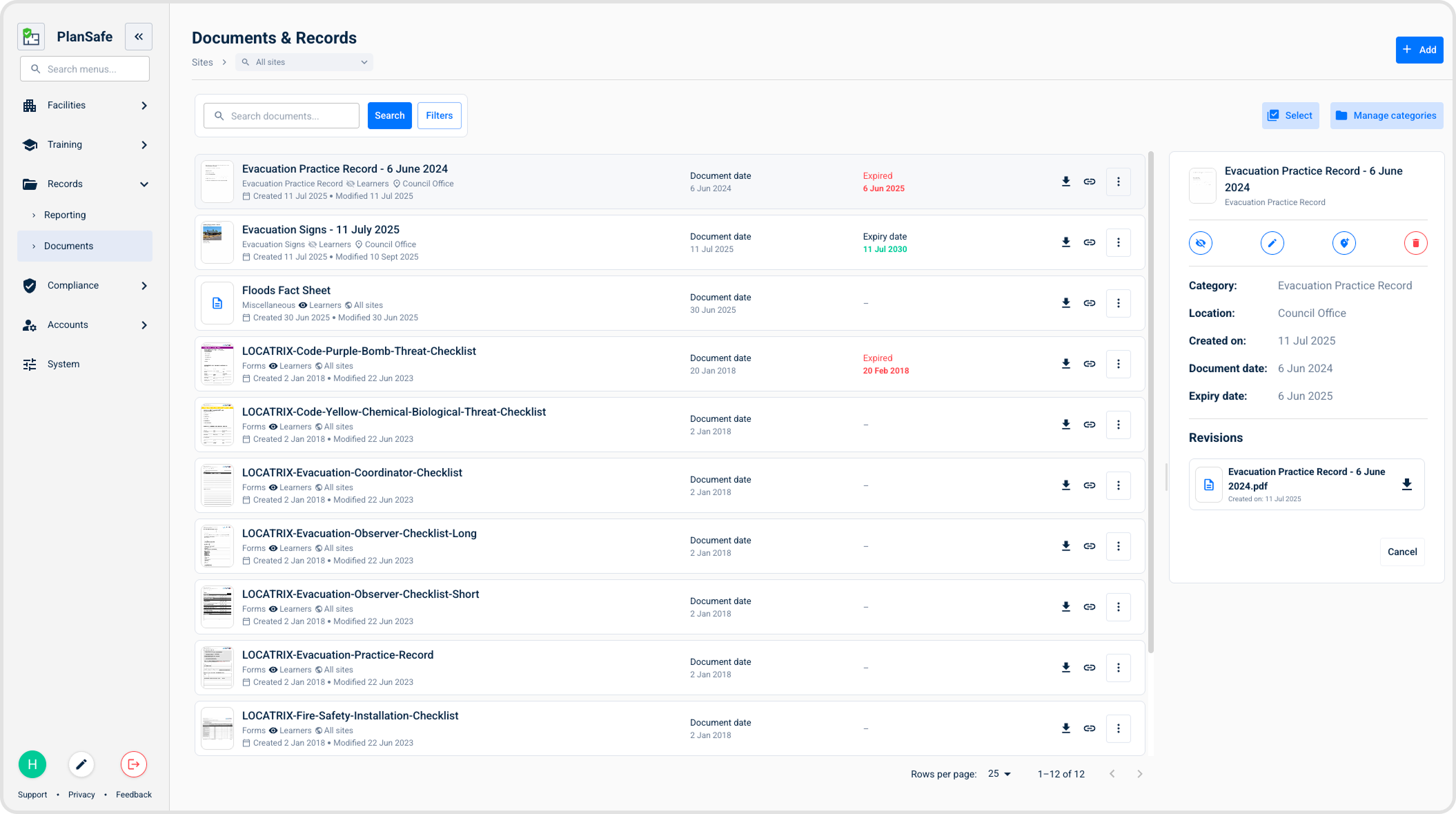
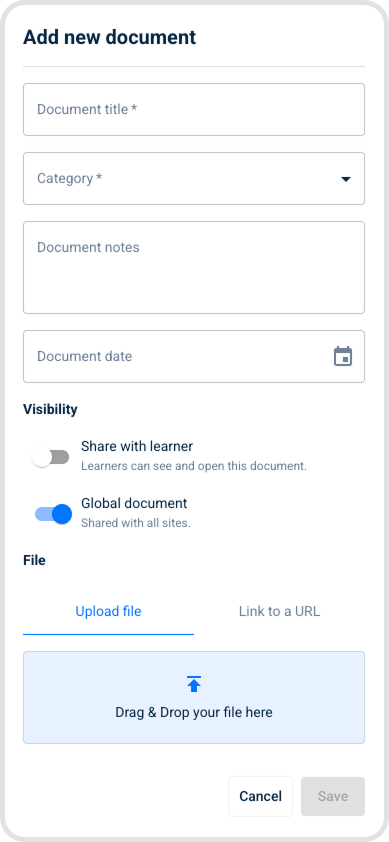
To add a document, administrators upload a file or enter a link to a URL. They give it a title, a document date, notes, a category and a validity period, and select the site it belongs to. To see a document, administrators open it in the details drawer. The drawer shows a preview, the category, the location, the number of assigned sites, the created and expiry dates, and the revisions. From the drawer, they can download or edit the document. An edit can also move the document to a different site, building or floor.
Administrators can change one document or select many documents at the same time. For the selected documents, they turn learner visibility on or off, or add and remove site locations, in one step. A new categories page lets administrators search, create, edit and delete categories. They can also set a validity period in months for each category.