.png)
Fire Safety and Certification
Create accurate digital floor plans and manage every fire safety asset in one place.
Trusted by teams across every industry.






Industry challenges
Fire Safety and Certification providers are under pressure to deliver accurate, compliant evacuation documentation quickly, without the inefficiencies of traditional drafting tools and fragmented workflows.
Inefficient, overly complex drafting tools
Traditional CAD software is time-consuming, difficult to scale, and not built for fire safety workflows, slowing production and increasing costs.
Inconsistent outputs across teams and sites
Without standardised tools, evacuation diagrams vary in format and accuracy, creating rework and potential compliance risk.
Fragmented workflows and manual processes
Drafting, publishing and asset visualisation often sit in separate systems, limiting visibility, collaboration and growth.
PlanStudio® solves your challenges
A purpose-built digital tool to help you create spatially accurate floor plans and generate compliant evacuation diagrams.
Compliant with:

Spatially accurate digital drafting
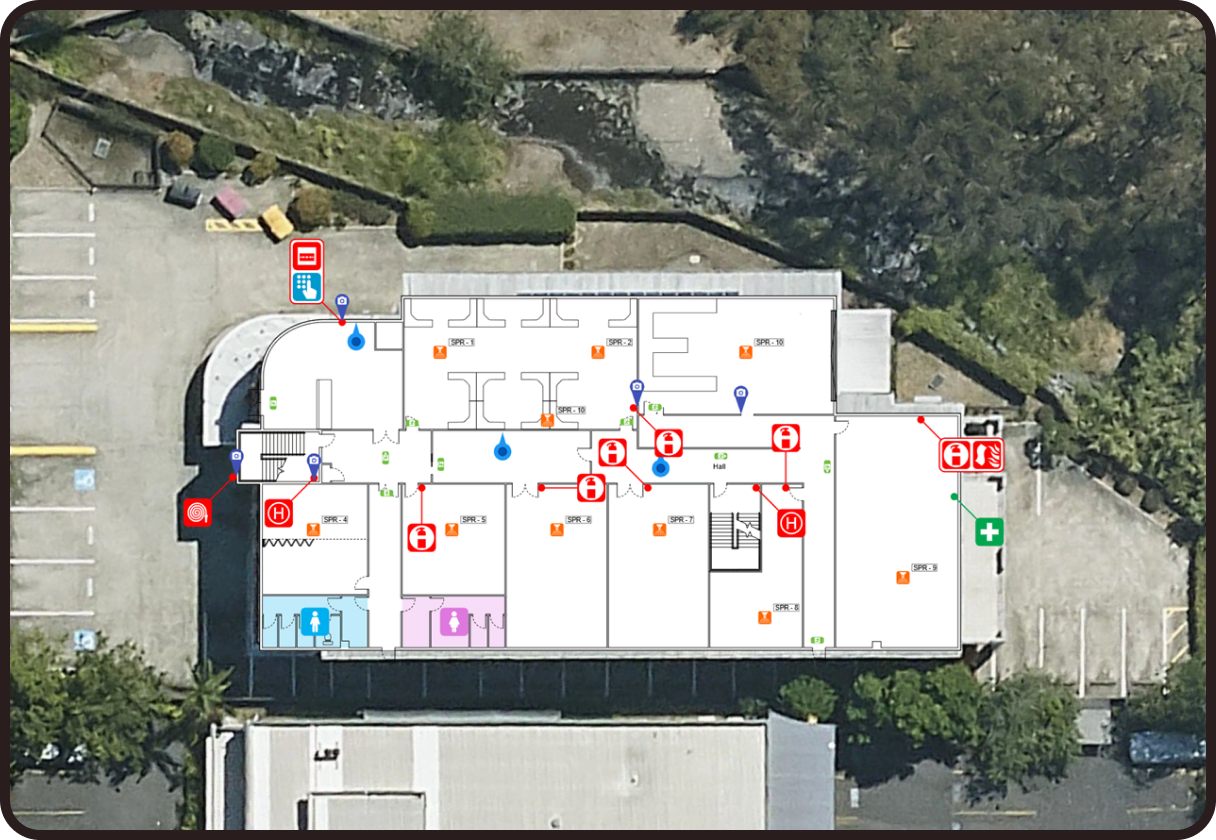
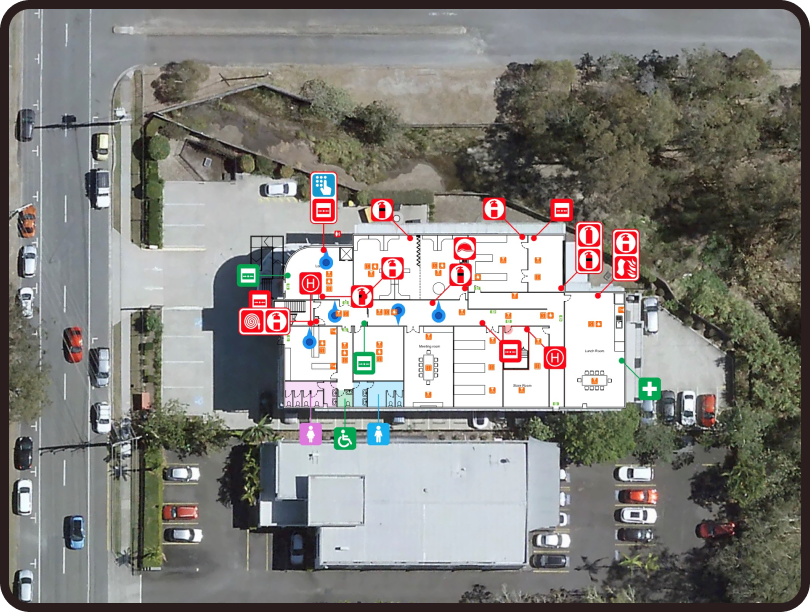
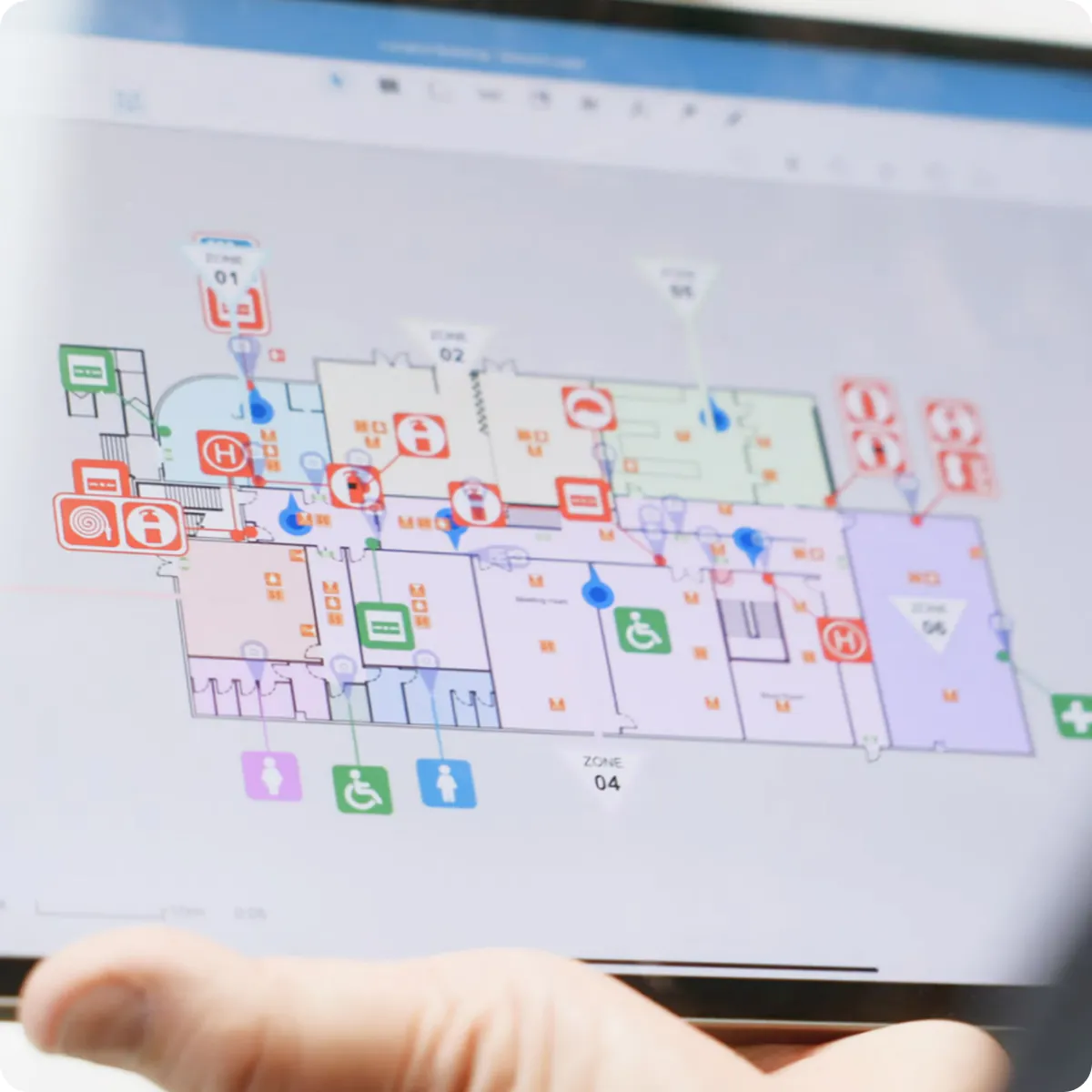
Create and edit precise floor plans directly on site. Every element is positioned with satellite imagery, ensuring evacuation diagrams reflect the real-world environment. Built specifically for fire safety workflows.
Instant evacuation diagram publishing
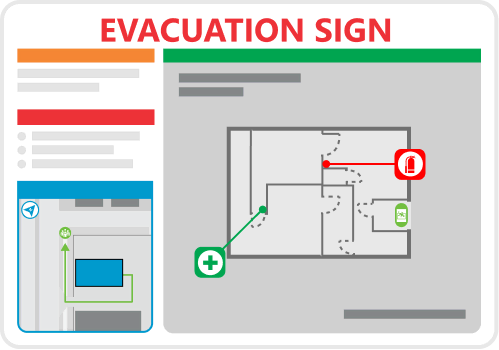
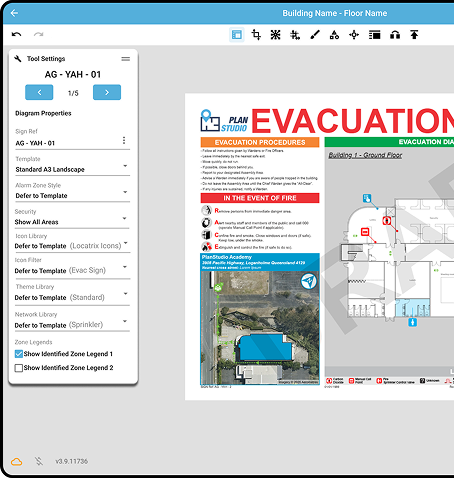
At the click of a button, generate compliant evacuation diagrams and publish signage for your sites. No manual mark-ups, no third-party file transfers, and no duplicated effort.

Integrated asset tracking
Capture and manage fire safety assets directly within the floor plan. Every extinguisher, exit sign and assembly point is linked to custom data fields, directly tied to its real world location, creating structured, auditable records.
See how Locatrix helps organisations like yours
Our software is designed for safety, driven by technology and developed for you.

Stokes Safety
Increased diagram efficiency by 700%
PlanStudio® is more than just another piece of drafting software. It helps solve your workflow.
“It has made us more organised. More efficient and more standardised in how we approach work. Our templates and icons all look the same. We can switch drafters in the middle of a job."
Patrick Stokes, Operations Project Manager,Stokes Safety

Australian Fire Protection
75% reduction in diagram creation time
AFP first recognised PlanStudio®, for its increased efficiency of providing evacuation diagrams to their customers in ¼ of the time. They noted that a recent job they had completed for a large local school took them around two weeks. Had it not been for PlanStudio®, they would still be struggling to complete the workload a month later.

PlanStudio® at a glance
Draft, edit and publish spatially accurate floor plans, with instant evacuation sign generation and secure cloud storage built in.
Locate assets
PlanStudio® can be used for wayfinding and supporting contractors in finding and maintaining site assets faster.
Compliance
Standardise evacuation diagrams to meet regulatory requirements with built-in structure and consistency.
Multi-site management
PlanStudio® is designed for managing multiple buildings. Manage 200+ sites floor plans from one solution.
Evacuation signs
Generate compliant evacuation diagrams instantly – ready for publishing and installation. Eliminating compliance gaps.
Active users generate 120+ signs per month.
Over a third of the ASX Top 50 companies are safer today thanks to Locatrix
See how customers are seeing a fast return on investment thanks to Locatrix.











We’re not just another drafting tool...
Fire Safety & Certification demands accuracy, speed and defensible compliance. PlanStudio® is purpose-built for evacuation diagrams and fire safety workflows, not retrofitted from architectural CAD. Designed for real-world use, it enables teams to draft, publish and manage compliant floor plans with consistency and control.
Spatially accurate digital drafting
Push-button evacuation sign publishing
Secure cloud-based plan management
Compliance Standards
Locatrix supports compliance with fire codes, safety requirements and industry standards by embedding structured building data into your workflow. By maintaining accurate, spatially referenced plans, it becomes easier to align documentation with regulatory obligations.
ISO 27001:2022
Locatrix is certified to ISO 27001:2022, the international standard for information security management.
This means your building plans, evacuation diagrams and compliance records are managed within a structured, independently audited security framework – giving you confidence when working across regulated and high-risk environments.
ISO 9001:2015
Locatrix is certified to ISO 9001:2015, the international standard for quality management.
This means your building plans, evacuation diagrams and compliance workflows are supported by structured processes and continuous improvement – ensuring consistent, reliable outcomes across every project.
AS 1851:2012
Locatrix supports organisations operating under AS 1851-2012 by linking fire safety assets to accurate, spatially referenced floor plans.
By maintaining structured, up-to-date building information, it becomes easier to manage documentation and support ongoing fire safety maintenance activities.
Ready to build better plans?
See how PlanStudio® works for your team in minutes.
Trusted by
778,000+
users
Frequently Asked Questions
Common questions about our software suite answered.
PlanStudio® is purpose-built for the industry, not adapted from generic drafting or spreadsheet software. Unlike other CAD software, Excel or Visio, PlanStudio® combines all the tools you need in one streamlined platform, with built-in automation to reduce manual work, minimise errors, and standardise outputs across your team. Instead of juggling multiple files and formats, you can manage sites, buildings and floor plans in a single system designed specifically for your workflow and the creation of evacuation diagrams and your outputs.
PlanStudio® is purpose-built for the industry, which means no redundant tools, no complicated setup and no unnecessary CAD complexity. The platform is standardised, layers are automated and everyone uses the software in the same way, making it simple to keep plans consistent across your team. To help you get started, we provide:
- Built-in training guides, available in app.
- A comprehensive Zendesk knowledge base.
- A dedicated support team.
- Step-by-step video tutorials.
Compared to traditional CAD software, most users can produce their first compliant diagrams by the end of the day.
PlanStudio® provides a structured platform for creating compliant evacuation diagrams aligned with current standards.
It helps consultants and certifiers by enabling:
- Consistent diagram outputs.
- Version control across revisions.
- Faster updates following inspections.
- Clear documentation trails for compliance evidence.
This improves workflow efficiency while maintaining regulatory integrity.
Start with whatever information you have, even if it’s incomplete or from multiple sources. PlanStudio® includes up-to-date satellite imagery, giving you an accurate building outline as a reliable starting point. From there, you can import from a wide range of sources, including:
- Photos (taken on site or provided by a client, including old evacuation diagrams or other signage).
- PDFs from Real estate, CAD files or old architectural plans.
- Hand-drawn sketches & lidar scans.
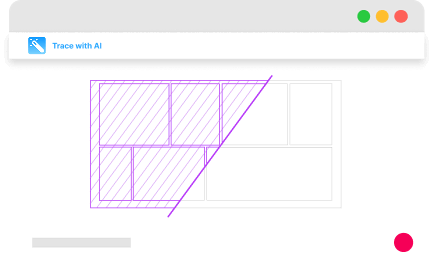
You can then refine and update your plans using our AI-powered tools or our purpose built drawing tools for full control and ownership over your plans, If you’d rather not do it yourself, our team can handle the heavy lifting for you delivering completed plans for your review and approval.
Absolutely, you have the option to convert it to a PDF format. Additionally, PlanStudio® allows you to import geoTIFF and other formats as well, there are tutorials and step by step guides that can assist you to import any type of existing plan.
Once you are signed up, it takes moments to download the app or launch it straight from your web browser and get started.
PlanStudio® is designed to become a living digital version of your buildings not just a static, disjointed set of drawings. Updating your facility is as simple as modifying your base plan and clicking publish. All diagrams and outputs reflect the changes automatically, ensuring continual accuracy making keeping plans up-to-date easy. Your account includes the flexibility to:
- Create and customise equipment libraries.
- Build templates tailored to your workflows and outputs.
- Add custom data fields relevant to your compliance needs.
- Design themes and style templates that align with your company’s branding.
Under AS 3745-2010, emergency plans and procedures must be reviewed regularly and whenever there are changes that affect emergency response.
This may include:
- Building alterations.
- Changes to exits or safety equipment.
- Changes to occupancy or building use.
PlanStudio® allows diagrams to be updated quickly and republished instantly, ensuring documentation remains aligned with real-world conditions.
Spatial accuracy in PlanStudio® is simply part of the process, PlanStudio® seamlessly integrates indoors and outdoors via high-resolution satellite imagery. This ensures all floor plans have real-world size and location data, that not only reduces the margin for error when creating floor plans off poor original base plans but also enables users to accurately gauge the dimensions of their floor plans and the real-world location of exits, assets and data points.
Locatrix takes data security seriously and our products are continuously subjected to security audits and testing by external vendors in accordance with ISO 27001. To find out more about how we keep your data safe, check out our Security & Compliance page.
Need more help?
Get in touch with our team.
Numbers that matter
Locatrix supports organisations across drafting, training and emergency response. These numbers reflect real buildings, real teams and real operational outcomes.
144K+
Active building floor plans
778K+
People trained
182M+