This release adds a new Evacuation Routes tool to the diagram editor, more ways to clone settings between diagrams, and a new Clear Data option. It also includes improvements to exporting, final exits, annotations, navigation and hotkeys.
Evacuation Routes tool
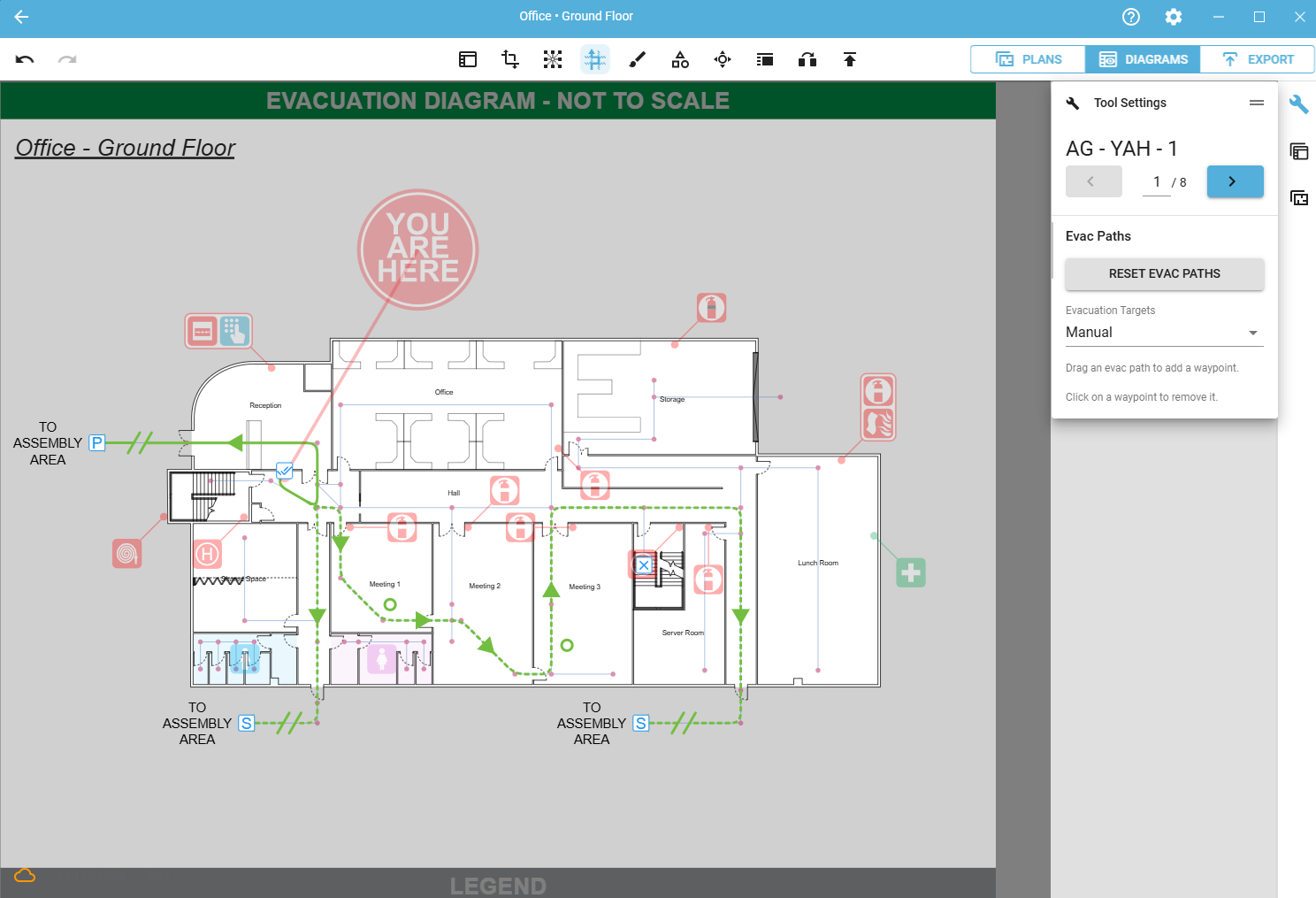
A new tool in the diagram editor lets you edit evacuation paths and their settings directly on the diagram. In manual evacuation target mode you can:
Switch each path between primary, secondary and off.
Drag a path to add a waypoint and change its route on the diagram.
Drag a waypoint to move it, or click it to remove it.
When a path has waypoints, any path rules on the Nav Mesh are ignored.
Cloning
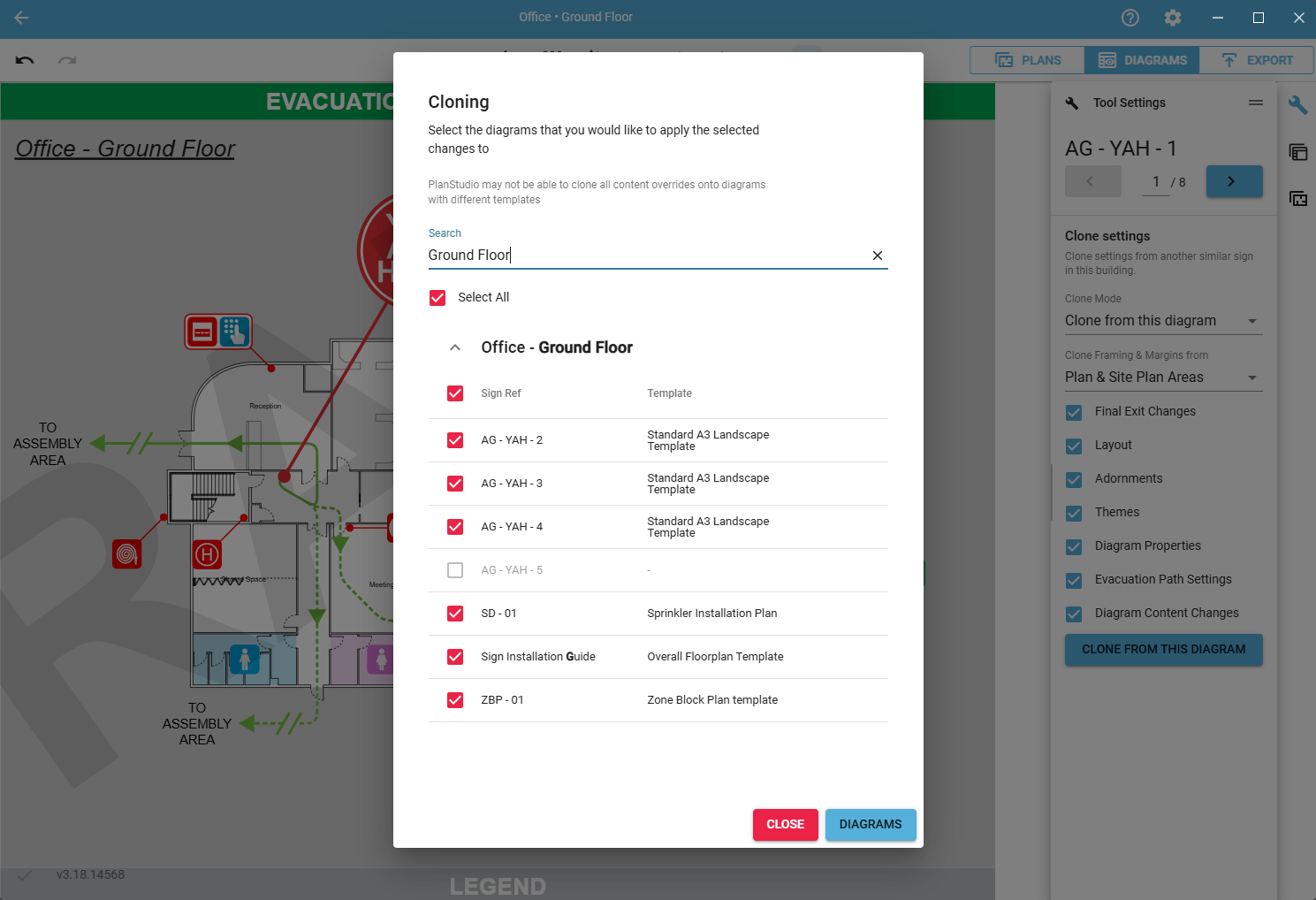
Clone mode: The diagram editor now has two clone modes:
Clone to this diagram: the original clone mode. Copies settings from another diagram to the one you have selected.
Clone from this diagram: copies the settings you choose to any other diagrams in the campus. Selecting this mode opens a dialog where you pick which diagrams to clone to.
New clone options: You can now clone more types of data to other diagrams:
Diagram properties: legend, library and icon filter changes, and the security field.
Diagram content: all changes made to diagram content in the diagram editor.
Clear Data
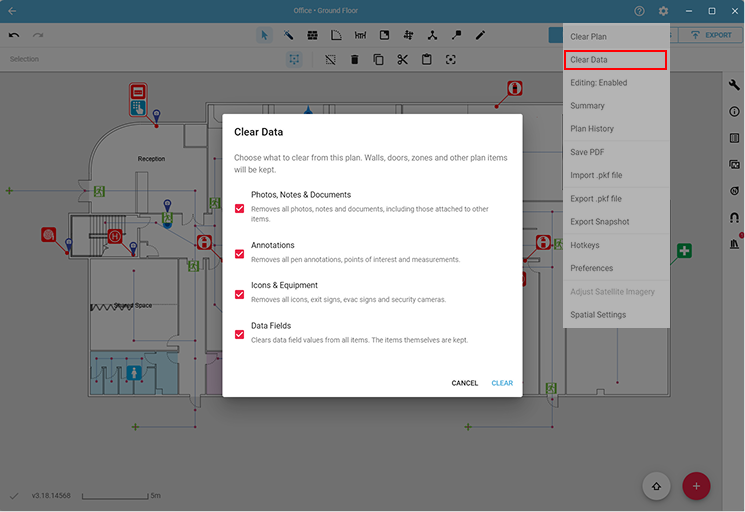
Select Clear Data from the settings gear on a plan to remove one or more of the following:
Photos, notes and documents: removes all photos, notes and documents, leaving icons and annotations untouched.
Annotations: removes all drawn and placed annotations.
Icons and equipment: removes all icons, exit signs, evacuation signs and security cameras.
Data fields: clears data field values from every item on the plan, without removing the items themselves.
Exporting
Added a Search option to find specific diagrams on the export page.
Select search results with a single click, or use Select all and Select none.
Hide empty floors.
Buildings and floors can now be collapsed or expanded to focus on what you’re exporting.
Publishing
The diagram editor now shows more of the errors that would stop a diagram from publishing, before you attempt to publish.
Final exits
Final exit tags can now be selected from a dropdown list on floor plans. The list shows all tags in use on the site plan for each building. You can still create or override tags manually using text mode.
Final exits now keep their tags when moved from a known building footprint to an unset footprint and back again.
Final exits that don’t belong to any building (on unset building footprints) can now be used on any diagram in the campus.
When migrating final exits on older plans, you can now choose to refresh building footprints first, so no final exits are lost because of outdated footprints.
Annotations
Annotation tools are now grouped into categories in the sub-toolbar.
Pen colour and line thickness settings have moved from the toolbar to the tool settings in the side panel.
Hand-drawn annotations can now be selected and edited in the inspector panel.
Create custom annotation colours more easily by switching from automatic to manual colour mode.
The Photos tool now has two ways to upload images. Upload images with GPS data directly into the tool settings and their pins are placed on the plan automatically, or place the pin manually first and ignore any GPS data.
Hotkeys
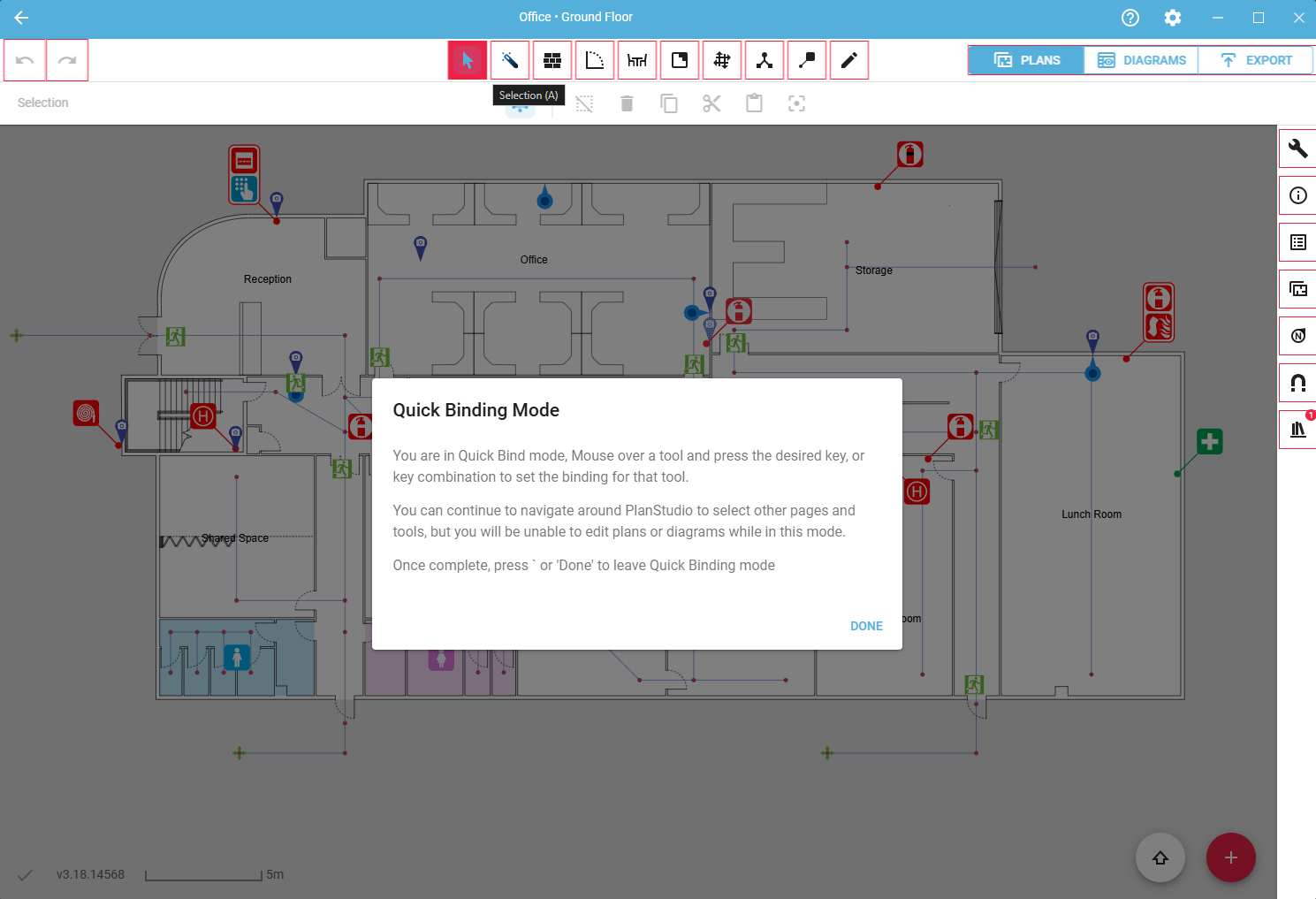
New hotkey quick bind mode. Press the (`) key to enter quick bind mode, then hover over any tool. An outline shows which tools can be bound. Press Done or the (`) key again to leave the mode.
Added hotkeys for all diagram editor tools.
Hold Shift while zooming to zoom from the centre of the screen instead of the cursor.
When rotating a standalone diagram, hold Shift while rotating with the middle or right mouse button to snap to 90-degree angles.
General
Page selectors in the diagram editor and PDF importer can now be typed into, so you can go straight to a specific page.
On multi-floor diagrams, the current floor no longer needs to be the top floor. Drag floors into the order you want in the diagram properties tool, and quick framing will follow that order.
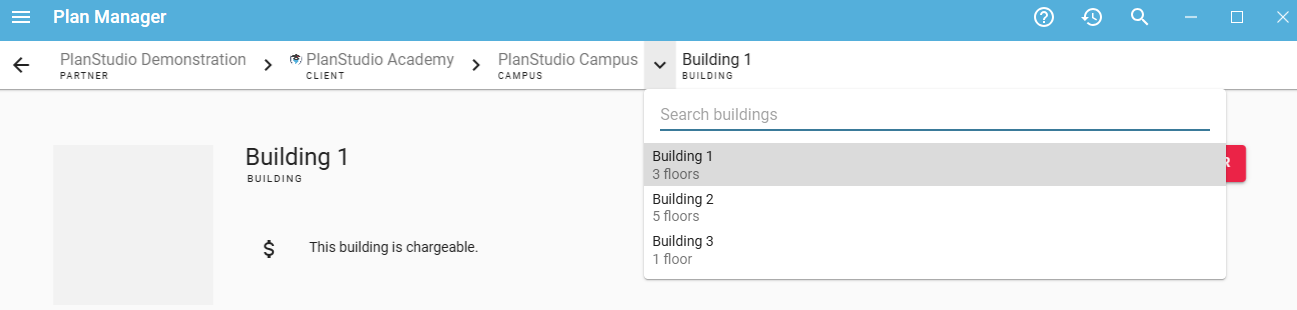
In the Plan Manager navigation bar, select the ‘>’ icon next to any client, campus or building to switch to another, or search within the one you’re in.
A new refresh button in the menu (☰) of the Plan Manager and administration pages loads new plans, icons and templates without restarting PlanStudio.
When importing additional footprints to a building on a site plan, there is now an option to refresh the building footprint at the same time.
Exit signs now display above You Are Here (YAH) icons on diagrams.
The ‘None’ line style has been removed from the adornments tool.
Removed redundant fields from some tool panels.
Improved reliability of street map capture when creating site plans.
Improved performance on the diagram preview page for large site plans.
Improved security.
Improved image support.
Bug fixes
Fixed visual issues on site plan diagrams with a plan area that has “Site plan in background” enabled.
Fixed an issue causing some building footprints on site plans to display as an outline only.
Fixed an issue where networks on a site plan couldn’t be selected from the browser panel.
Fixed an issue preventing street map capture for site plans from working on some devices.