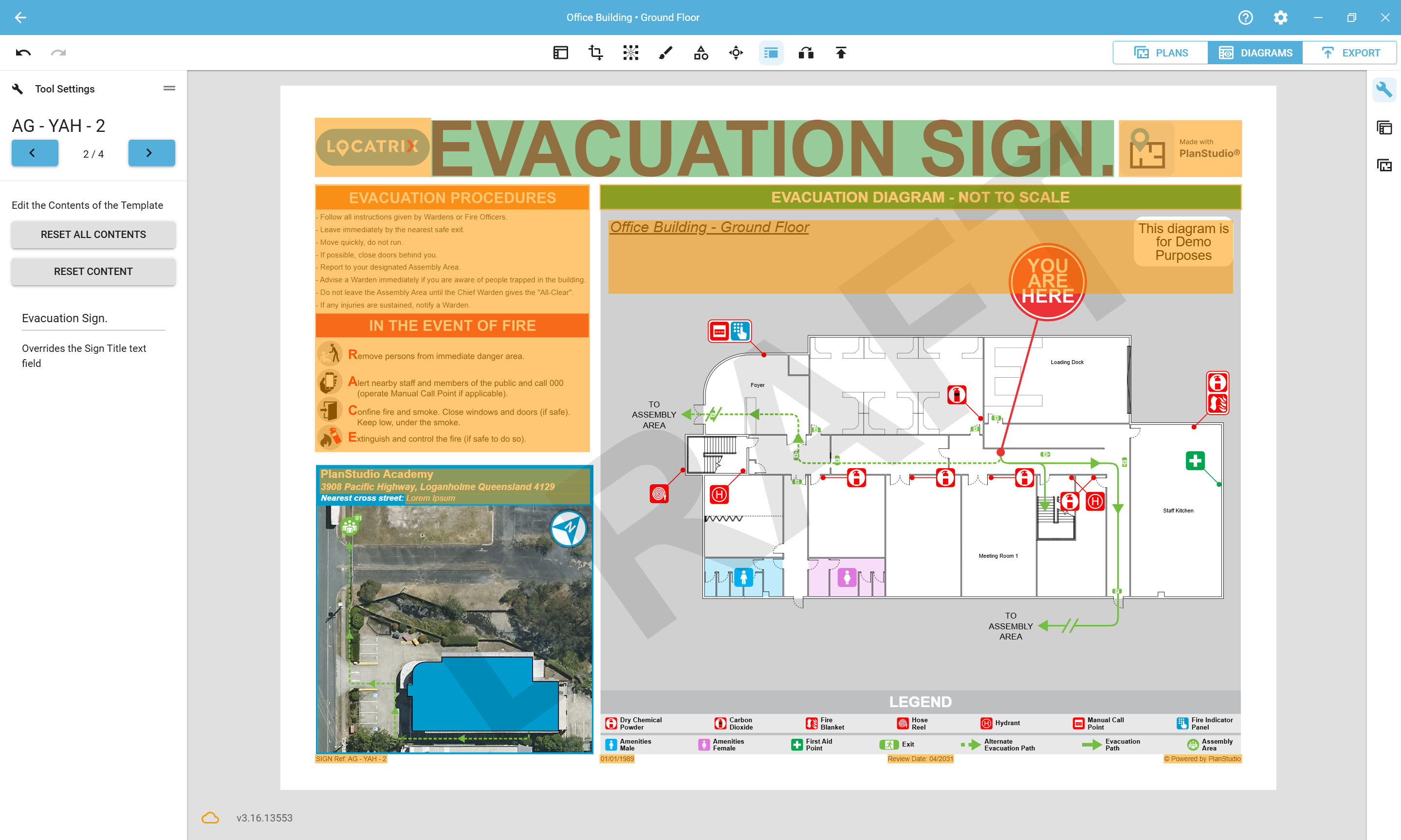
Added a new Diagram Content tool to the Diagram Editor that allows you to override all the default elements on your templates, per diagram.
When active, all the editable template content is shown in orange boxes, once edited it will appear in green.
Clicking on a box will allow you to provide your own input or upload an image via the Tool Settings panel.
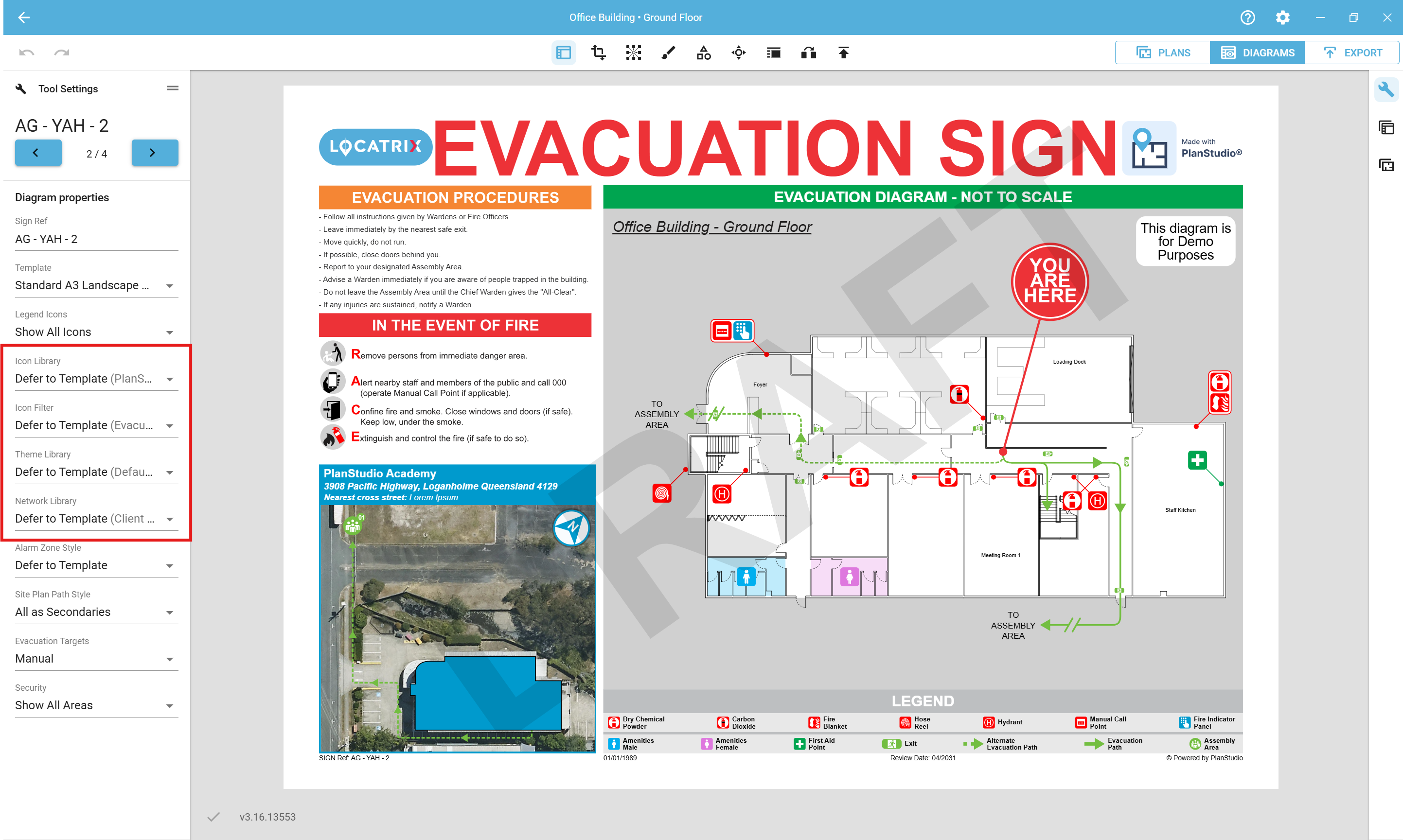
Added the ability to override the Theme, Icon and Network Library via the Diagram Properties tool.
This allows you to hot swap out different Libraries onto your template per diagram, providing more flexibility and allowing you to use each template for more than a single type of output.
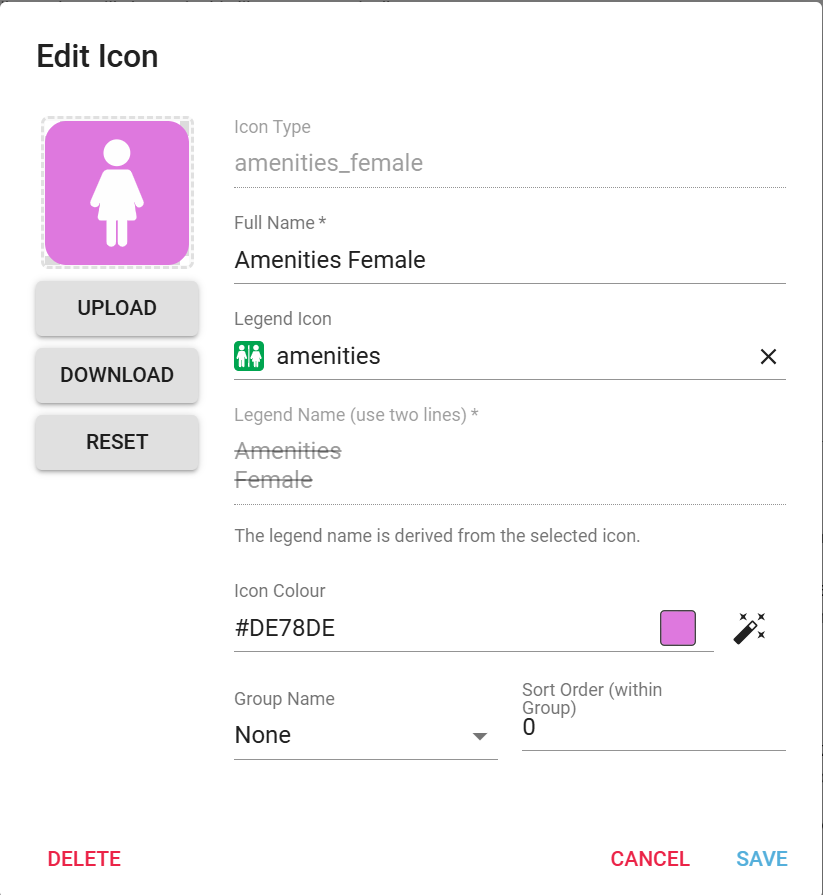
Added the Ability to combine icons in the legend
In the Icon Library Editor, use the "legend icon" field to select another icon.
The selected icon will now appear in the legend instead of the original icon.
Multiple icons can share the same icon in the legend, reducing clutter, and allowing you to simplify your legends.
Drastically improved the load times of the Diagrams list in the Diagrams Tab.
Simplified the options in Diagram Properties by removing redundant options.
Hovering your cursor over a tool will now show you the tool's current hotkey.
Improved room label selection.
Copy-pasting now preserves the order of grouped icons.
Unknown icons or networks are now no longer displayed in diagrams
General UI enhancements across the application.
Bug fixes
Fixed a crash when exporting a new template.
Fixed a crash when enabling a background plan via the Plans Panel without an internet connection.
Fixed an issue where some icons rendered as black boxes.
Fixed doors and openings not respecting transparent themes.
.png)