Written by
Hamish Thomson
Published on
January 5, 2026
.png)
Compliance training software is a broad category. A hospital network trying to keep emergency training current across 40 buildings has a very different problem from an HR team assigning annual privacy and workplace behaviour modules.
So when we talk about the best compliance training software in Australia, we start with the job the software needs to do. Accordingly, the answer depends on what you need people to learn, how many sites you manage, and how you need to prove completion.
This guide is published by Locatrix, the provider of PlanSafe®. It compares PlanSafe® with five other platforms to show how different tools address compliance training. The comparison focuses on training delivery, compliance tracking, pricing and suitability, and is based on publicly available information checked in September 2026. Features and prices can change, so confirm current details with each provider before making a decision.
Pricing as of September 2026. Packaging and prices can change, so confirm current terms with the provider before purchasing.
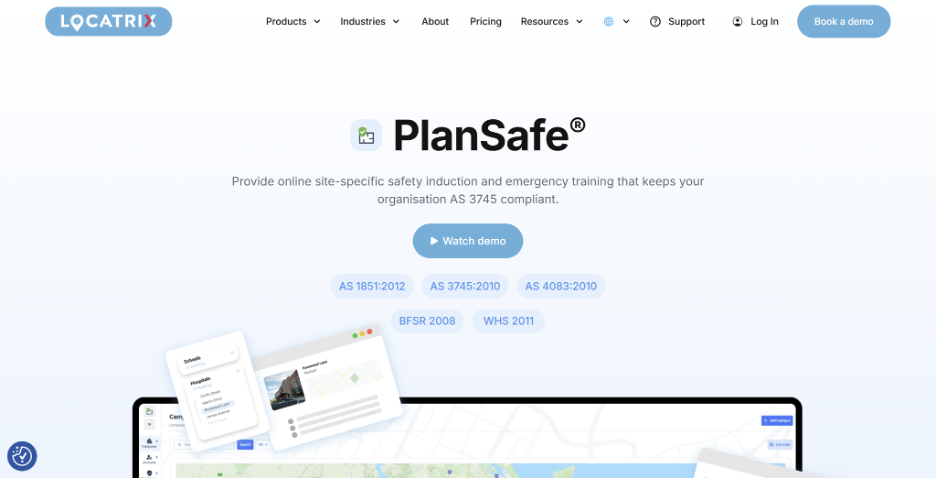
We built PlanSafe® around a problem we see constantly in larger organisations: the training record might say someone has completed fire or emergency training, but the course itself tells them very little about the building they actually work in.
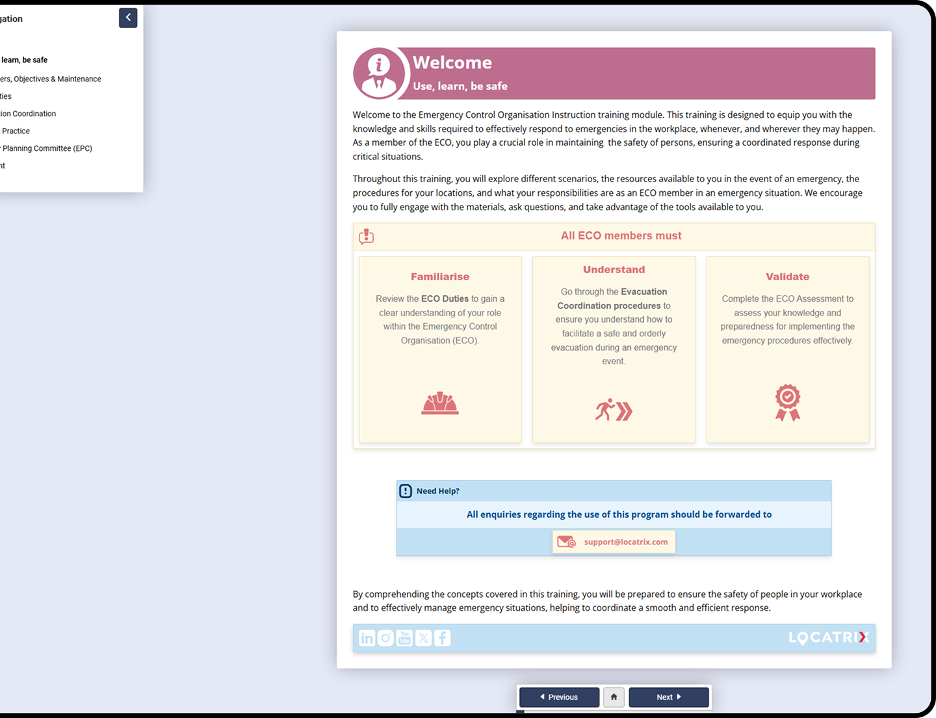
PlanSafe® takes a different approach. It delivers site-specific safety induction and emergency preparedness training using the organisation’s own building information, while giving safety teams a central view of completion across locations.
That fit becomes especially strong in hospitals, aged care, universities, government and other portfolios where buildings, occupants and emergency arrangements differ from site to site.
A large course library is useful if your problem is course availability. It’s less useful if your real problem is making sure someone on Level 4 of Building B knows the procedures for Level 4 of Building B. PlanSafe® is built around that second problem.
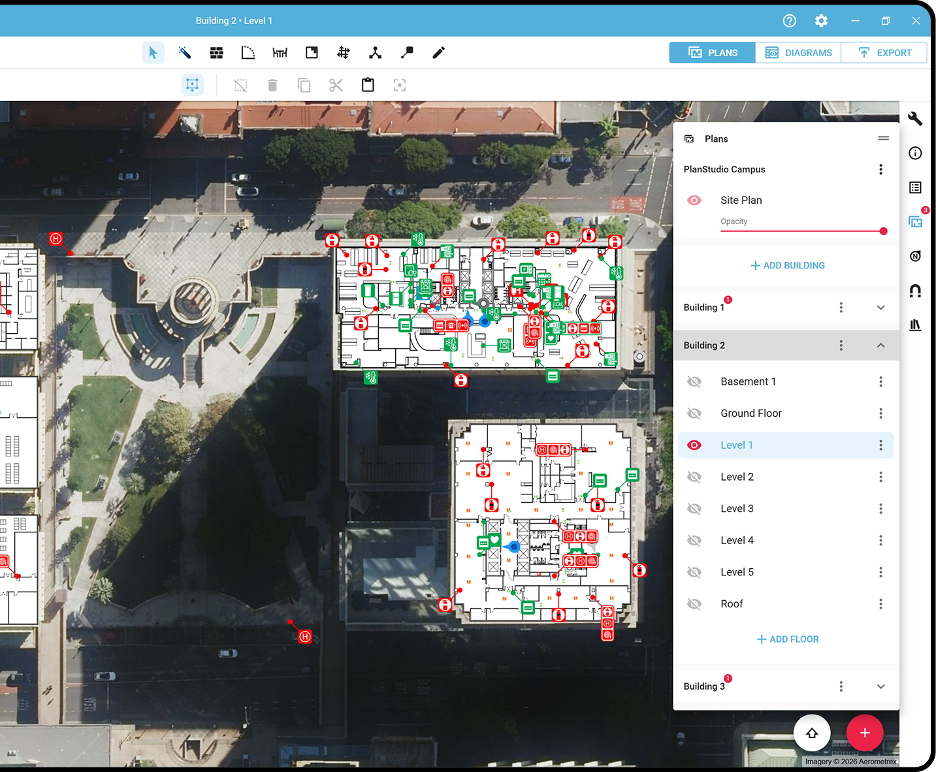
When PlanSafe® is used with PlanStudio®, it pulls the relevant floor plans and evacuation diagrams from PlanStudio® into the learner experience, so training reflects the building people actually use.
So instead of giving everyone the same generic fire-safety module, you can tailor training to the site they occupy. Employees, contractors and visitors learn information that reflects the exact environment around them.
For large complex portfolios, that distinction becomes practical very quickly. A hospital ward, university laboratory and council depot may all sit under the same organisation, but their layouts, occupants, hazards and evacuation arrangements can be completely different.
This is where we’d be wary of using “course completed” as the only proxy for emergency preparedness. Completion tells you the training happened. Site-specific content helps make the training relevant to where the person will actually need it. For safety training teams, it reduces the need to maintain separate generic modules and site instructions in disconnected places.
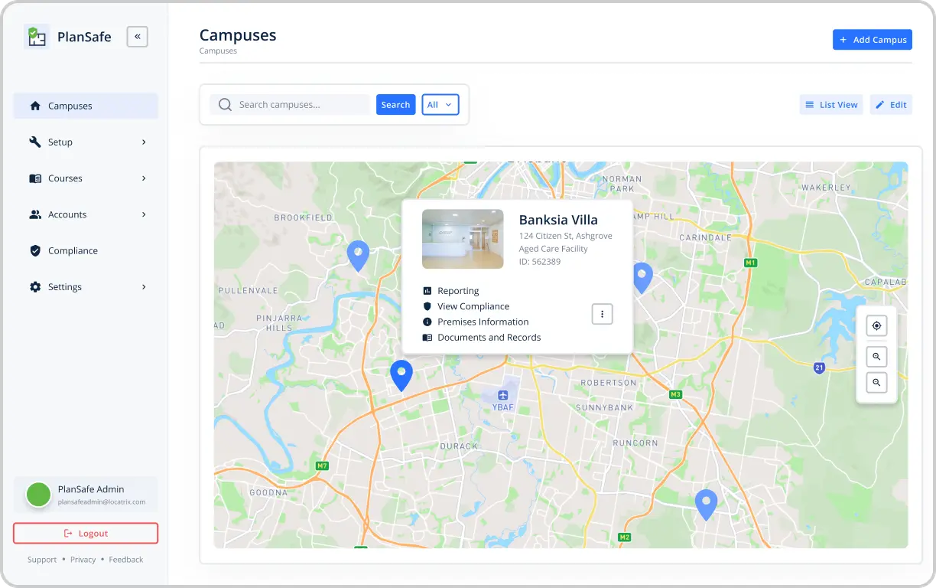
The building is only one layer. People also need different information depending on what they are expected to do.
PlanSafe® lets you structure training around both site and role, so the experience for an everyday occupant can differ from the training provided to wardens, Emergency Control Organisation (ECO) members, contractors or other groups.

Training is available online rather than being tied to a single scheduled session. For organisations running shifts, rotating contractor populations or geographically dispersed sites, this removes a familiar headache: arranging the same classroom session again because half the people who needed it were working somewhere else.
Case in point: Cairns and Hinterland Hospital and Health Service (CHHHS), a government health service operating more than 50 facilities and supporting up to 9,500 workers, shows this approach at scale, with emergency training compliance increasing by 25% in about two months.
Physical evacuation exercises may still be required under the organisation’s emergency-planning obligations. Online training handles a different part of the job: giving people relevant knowledge, making it easier to refresh that knowledge and maintaining evidence of completion.
Training can go stale for the same reason evacuation diagrams do: buildings change.
A fitout moves a wall. A refurbishment changes an exit. A department shifts floors. Someone updates the drawing, but the training material is sitting in another system and nobody remembers to change it.
PlanSafe® can connect with PlanStudio®, our floor-plan and evacuation-diagram software. When building information changes in PlanStudio®, the corresponding information used by PlanSafe® can stay aligned with it.
Central Queensland University (CQU) uses Locatrix products this way across more than 20 locations. Its safety team can update building information and have those changes reflected in PlanSafe® rather than rebuilding the same information separately.
For teams responsible for dozens or hundreds of facilities, removing that duplicate work can be as valuable as the training itself.
Spreadsheets usually cope fine until several sites, different training groups and expiry dates get involved. Safety teams can end up spending valuable time chasing updates and bringing records together before an audit.
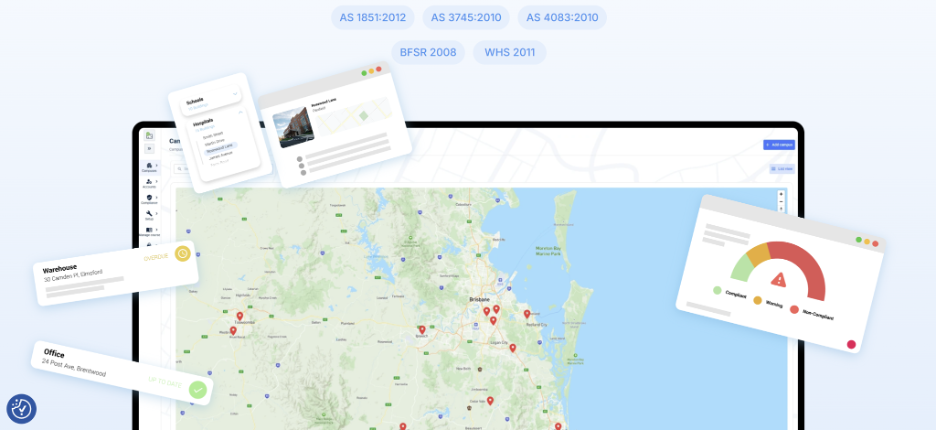
PlanSafe® gives administrators central visibility into who has completed training, what training they completed and when. Current and historical records remain accessible, and teams can generate reports without stitching together attendance sheets from individual locations.
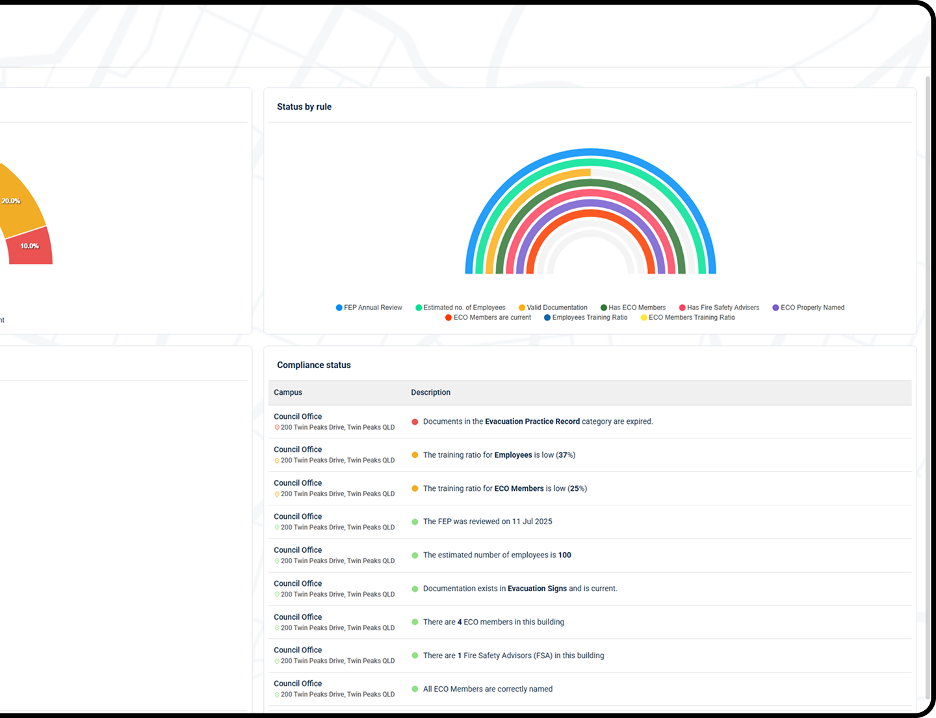
Children’s Health Queensland (CHQ) is a good example of the operational effect. Before PlanSafe®, its team reported training completion of roughly 30-40%. The figure later reached about 86%, while the reporting process that previously took hours became far easier to access.
If your safety team is small and your building portfolio is not, this kind of visibility can remove a surprising amount of admin.
A common concern we hear is: “We already have an LMS. Are you asking us to replace it?”
Usually, the answer is no.
PlanSafe® supports SCORM 1.2 and SCORM 2004 integration, so organisations can connect its site-specific emergency training with an existing learning environment. It also supports SSO options including ADFS, SAML and OIDC.
That distinction is important when evaluating compliance software. A broad corporate LMS can remain useful for HR, privacy, cybersecurity and general learning. PlanSafe® provides site-specific emergency preparedness training, helping people understand what to do in the buildings they use.
Central Queensland University (CQU) uses PlanSafe® across more than 20 locations, with PlanStudio® helping its safety team keep building changes aligned with training.
“I use Locatrix PlanSafe® because my compliance percentage went from under 50% to over 90%.” says Dana O’Brien, Safety and Wellbeing Manager, CQU.
Children’s Health Queensland (CHQ) saw a similar change. Across all 85 locations, its move away from a complex face-to-face model towards site-specific online emergency training reduced training time to around 20 minutes, and allowed staff to complete it when it suited their schedules.
“Before, we were sitting at around 30-40% completion. Now we’re at about 86%, so we’ve more than doubled our compliance.” says Tony Dagan, Manager, Fire Safety Advisory & Assurance Unit, CHQ
Want to see what site-specific training looks like using your own buildings? Book a demo to learn how Locatrix can help your teams achieve 90+% compliance efficiently.
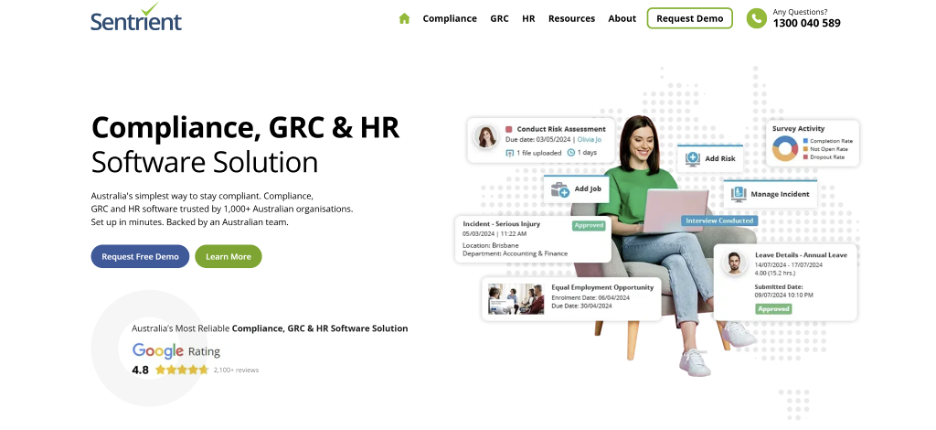
Sentrient is an Australian compliance, GRC and HR platform with a strong focus on workplace obligations. Its training library covers topics including WHS, privacy, bullying, sexual harassment, equal opportunity, cybersecurity and workplace conduct.
Its Australian courses are developed with employment law firm Mills Oakley, while New Zealand content is developed with Simpson Grierson. Courses are generally designed to take around 15-20 minutes and can be delivered through Sentrient itself, an existing LMS or an HRIS.
Sentrient’s strongest differentiator is its Australian workplace-compliance focus. The platform combines ready-made courses with legislative updating, while customers can build their own content for inductions or organisation-specific requirements.
This makes it a good match for HR and compliance teams whose training requirements extend beyond safety into areas such as workplace behaviour, privacy and governance.
Training is only one part of Sentrient. The platform can also manage policy acknowledgements, licences and records, incidents and risks, surveys, inspections and audit reporting.
Ready-made reports cover course status, overdue training and individual user activity, which can help teams assemble evidence without maintaining a separate reporting spreadsheet.
You can deliver Sentrient courses through its own platform or license content for an existing SCORM-compatible LMS. The company also supports delivery through HR systems.
So if your business already has learning infrastructure and mainly needs Australian compliance content, you may be able to add the library without replacing your wider setup.
As of September 2026, Sentrient doesn’t publish a fixed subscription price for its compliance training. Its official site says pricing scales per user according to organisation size and the courses selected.
“Easy to use, has a wealth of information which can be stored, is highly functional and the Sentrient team are very responsive.” - Louise M.
“Some of the course material and tests were too basic and easy to complete.” - Seshan R.
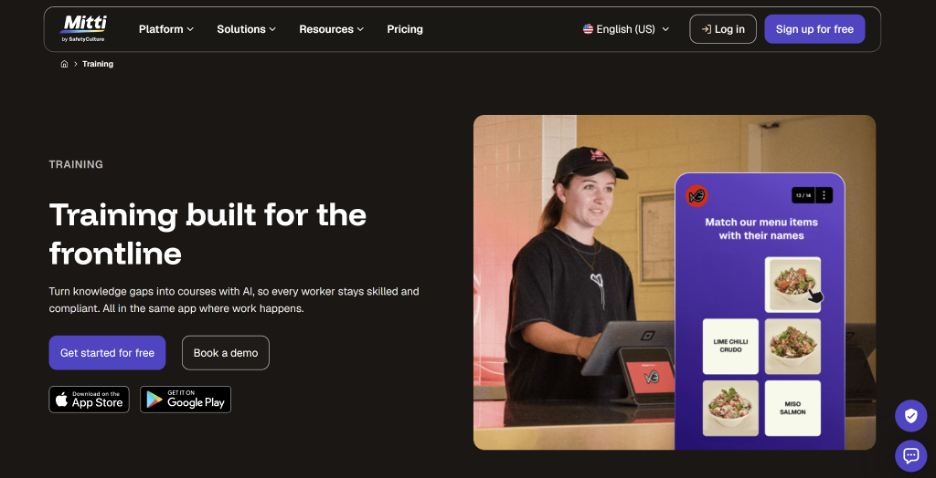
SafetyCulture’s platform is now called Mitti, and its former SC Training product sits inside the broader Mitti platform. The training experience is designed around frontline workers who may spend very little time sitting at a desk.
If your biggest problem is getting short, practical training into the hands of operational teams while connecting it with inspections, issues and everyday work, Mitti has a strong case.
Mitti is built around short frontline learning rather than long desktop courses. Administrators can create training from prompts or convert PDF, PowerPoint and Word documents into courses, while workers can access training from mobile devices.
The library contains more than 1,000 editable courses, giving teams a faster starting point for common safety, onboarding and compliance topics.
Mitti goes beyond course completion by letting supervisors assess skills on the job. Practical Assessments use digital checklists, can be completed from a mobile device and are recorded alongside digital training data.
Classroom sessions can also be logged in the same training record, which is useful when an organisation combines eLearning with toolbox talks or hands-on competency checks.
Administrators can track competencies through a training matrix, search and download records, and use recurring courses to reassign training when it expires.
Mitti also connects training to its wider operations platform, covering inspections, issues, assets and other frontline processes. That breadth is one of the main reasons to consider it over a standalone LMS.
As of September 2026, Mitti’s free tier makes it one of the more accessible options for teams of up to 10 looking for one of the best free compliance training software. However, advanced features including recurring courses and the training matrix are included in paid plans rather than the Free tier.
“I like that SafetyCulture can be used on both the computer and the phone, which is great as we issue work permits through SafetyCulture and being on site with the phone saves a lot of time.” - Jaundre N.
“Some advanced features and reporting options take time to fully configure, and there can be a learning curve when setting up more complex workflows. Pricing may feel a bit high for smaller teams, especially if you don’t need all enterprise-level features.” - Dennis O.
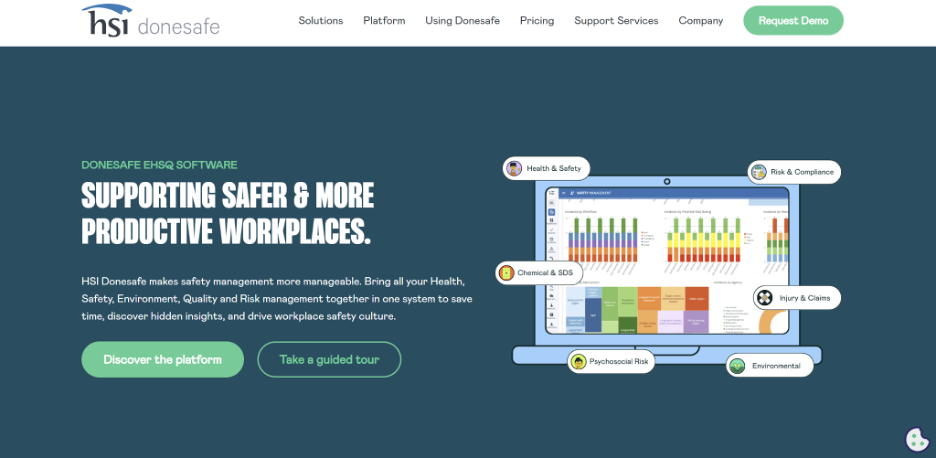
HSI Donesafe is better suited to organisations looking for a broader EHSQ system than a standalone compliance-training tool. Its Learning Management module sits alongside incident, hazard, contractor, visitor and other safety workflows, so training can form part of a wider compliance program.
As of September 2026, Donesafe doesn’t publish a standard starting price. Pricing is calculated according to workforce size and the modules you select, with additional implementation requirements affecting the quote.
Go1 takes a content-first approach. Instead of specialising in one area of compliance, it brings together a large catalogue of compliance, professional-development and skills courses that can be delivered through Go1 itself or an existing LMS or HR platform.
As of September 2026, Go1 publishes its plan structure and inclusions but does not list standard prices. Quotes depend on licences, the content package and services selected.
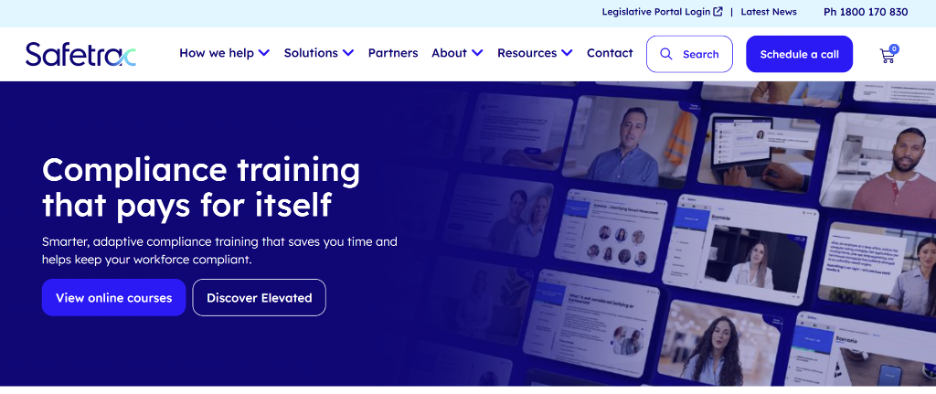
Safetrac is an Australian compliance-training provider with more than 25 years in the market. Its focus is locally relevant courseware that can be customised to an organisation’s policies, branding and scenarios, then delivered through Safetrac’s platform or an existing LMS.
As of September 2026, Safetrac’s pricing falls as learner volumes increase, with bundles and subscription options available by enquiry.
Start with the compliance problem, not the feature list. A platform with thousands of courses can be excellent for one organisation and completely wrong for another.
Consider these three questions in your evaluation: How specific does the training need to be? How will you prove compliance? What has to stay current after launch?
Some compliance topics transfer well across an organisation. Privacy principles, workplace behaviour and code-of-conduct training are obvious examples.
Emergency preparedness is different. The useful information can change from one building to the next. An employee may need to know their evacuation route, assembly area, local emergency equipment or role within an Emergency Control Organisation.
If site context affects what people need to do, ask vendors to show you how they manage different buildings and different roles, not simply whether they can add a location field to a learner profile.
With PlanSafe®, we use the organisation’s actual building information to create site-specific training.
If you are working through this decision internally, our guide on bespoke emergency plans explores why generic plans can become difficult to manage across complex portfolios.
A dashboard showing 93% completion is useful. It doesn’t answer every compliance question.
You may also need to know who completed training, which site and role it covered, when the record expires, whether historical evidence remains accessible and where the remaining gaps sit across the portfolio.
Ask to see the reporting workflow during a product demo. Pick a realistic scenario, such as an auditor asking for current and historical training records for three sites, then see how many clicks it takes to produce the evidence.
Locatrix designed PlanSafe® reporting around this multi-site reality because safety teams should not have to rebuild the story in Excel every time someone asks for proof.
For more context on the delivery side, see our guide to online safety training.
Buying the software is the easy part. Maintaining accurate information three years later is where systems tend to show their weaknesses.
Before choosing a platform, ask:
For emergency preparedness, pay particular attention to that fourth question. Even a well-designed course needs updating when the building or its emergency arrangements change.
PlanSafe® connects with PlanStudio®, so maintained building information can flow into site-specific training rather than being recreated in a separate workflow. PlanSafe® also supports SCORM and enterprise SSO options where an organisation already has learning infrastructure.
Compliance software should make it easier to answer a fairly basic question: Are the right people prepared for the places they actually work in?
For broad corporate compliance, several platforms in this list do excellent work. But if your challenge is emergency preparedness across hospitals, campuses, aged care facilities, government buildings or another complex portfolio, generic course completion only gets you so far.
With PlanSafe®, you can connect site-specific training with the building information behind it and give safety teams a clearer view across locations. Book a demo to see PlanSafe® with the type of sites your team manages.
It depends. Go1 suits organisations prioritising content breadth, while broader platforms such as Donesafe suit teams combining learning with wider EHSQ processes.
It depends on the use case. Locatrix specialises in site-specific emergency preparedness, while Sentrient and Safetrac focus more broadly on Australian workplace compliance.
Choose software that matches the employee’s work. Frontline teams may prefer mobile-first Mitti, while location-specific emergency training is a stronger fit for Locatrix PlanSafe®.
No. Online training can support emergency preparedness and record keeping, but organisations may still need physical exercises or drills under applicable emergency-planning requirements.
Not always. If you already have an LMS, however, SCORM or similar integration can reduce duplicate administration and make specialist compliance training easier to introduce.
.jpg)