.png)
PlanStudio®
Create your base floor plan 7x faster than any other software, infinitely faster to generate and update evacuation signs.


Trusted and used by teams to keep people safe across every industry.









PlanStudio®
PlanStudio® Purpose-built for creating compliant evacuation diagrams, 7x faster than any other software.
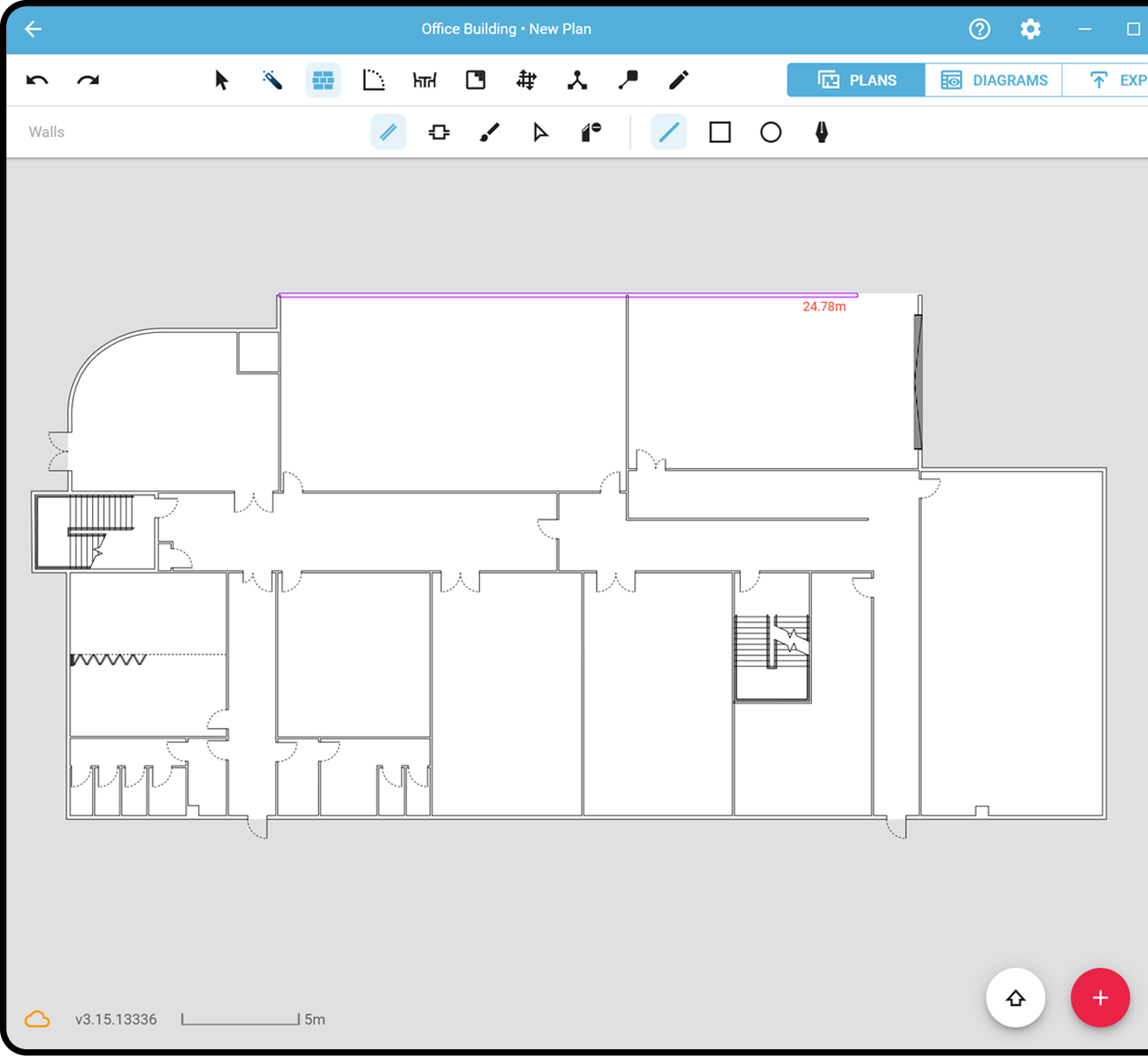
Spatially accurate digital drafting
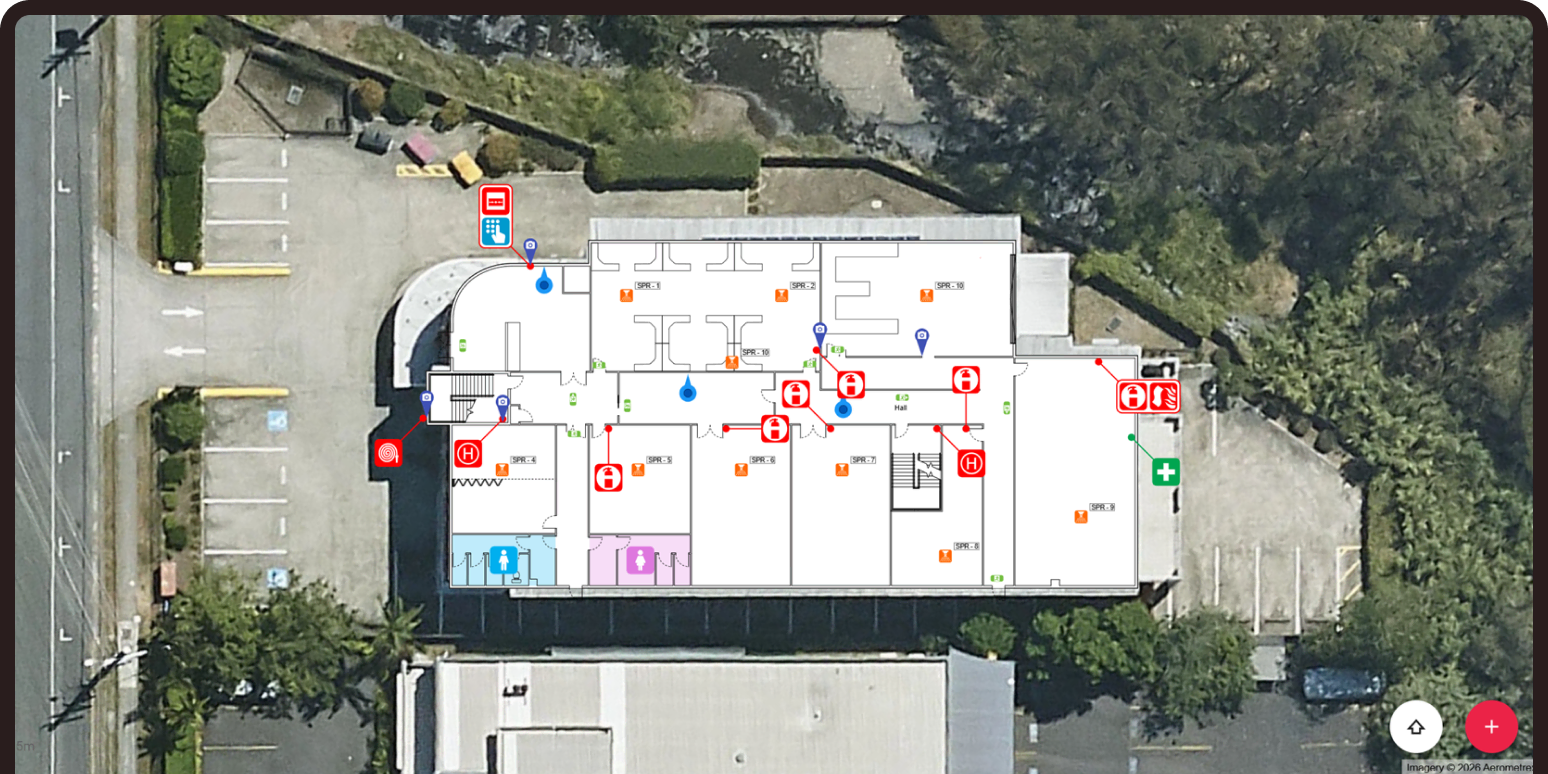
Create and edit precise floor plans directly on site. Every element is positioned with satellite imagery, ensuring evacuation diagrams reflect the real-world environment.
Manage your entire building and site from anywhere.
Draw plans directly over high-res maps.
Built specifically for fire safety workflows.
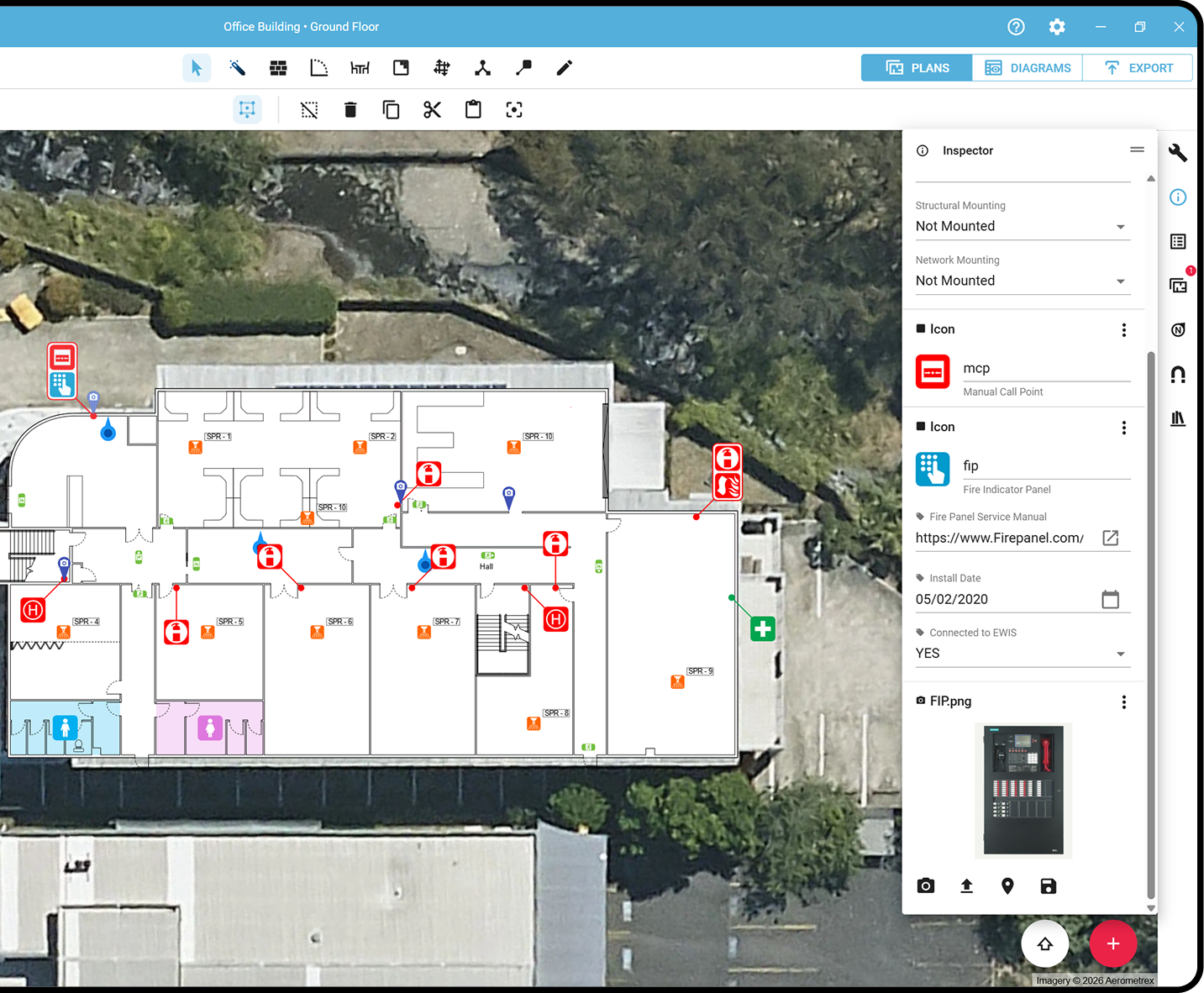
Integrated asset tracking and visualisation
Capture and manage fire safety assets directly within the floor plan. Every extinguisher, exit sign and assembly point is linked to custom data fields, directly tied to its real world location, creating structured, auditable records. Turn static plans into intelligent building data.
Instant evacuation diagram publishing
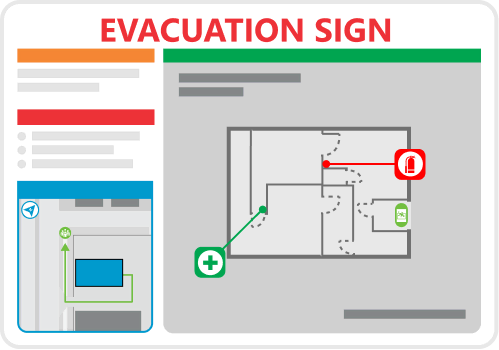
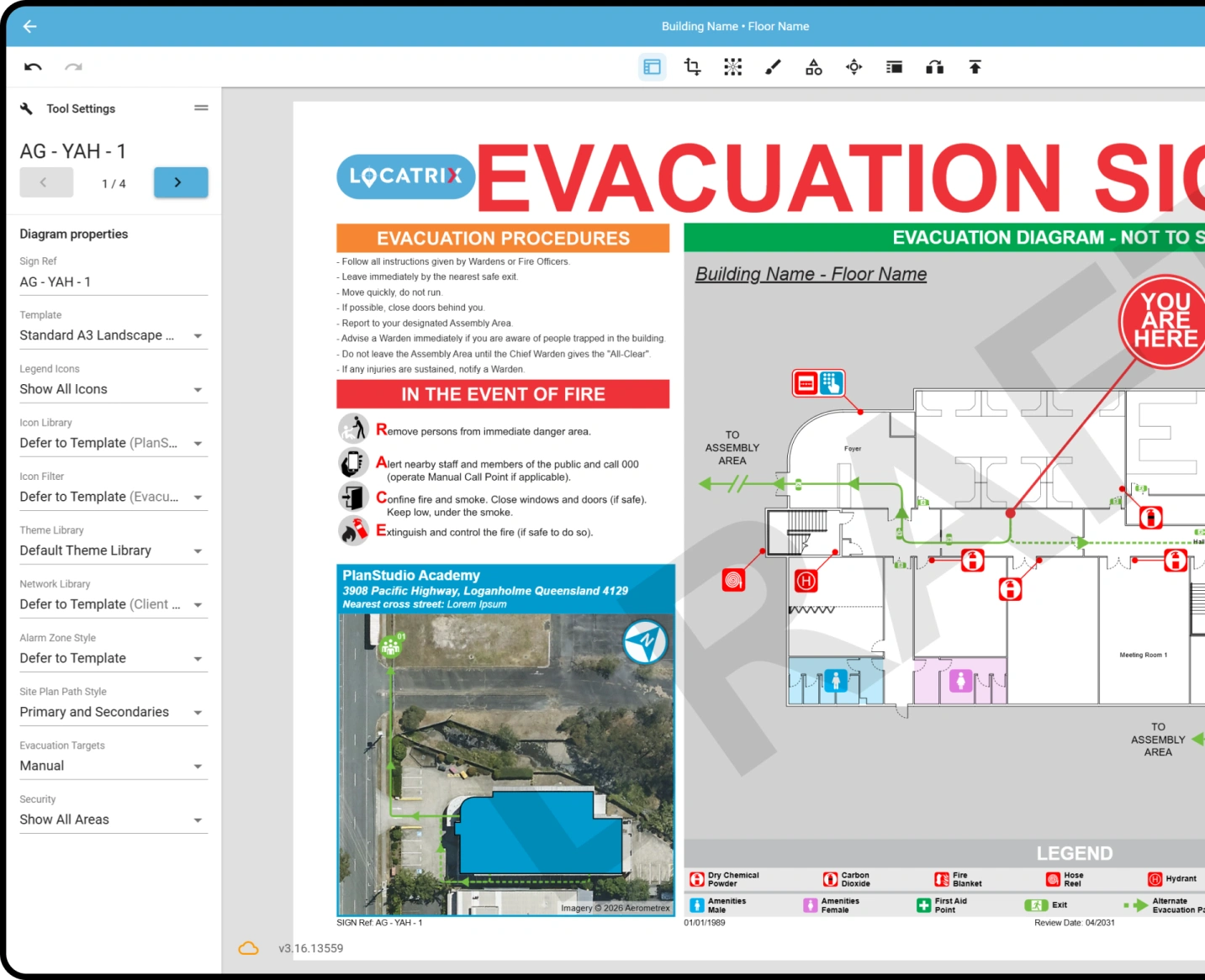
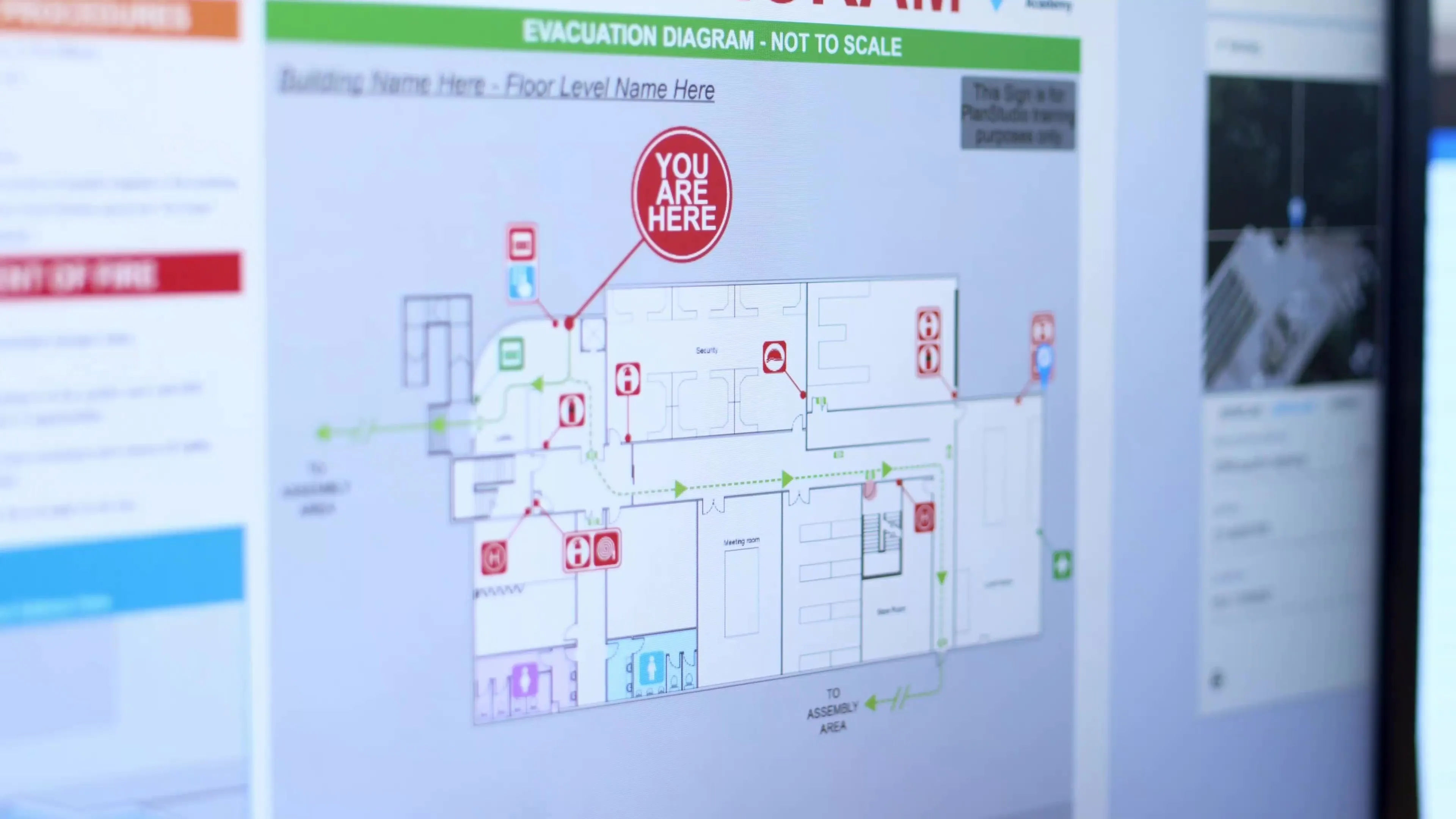
At the click of a button, generate compliant evacuation diagrams and publish signage for your sites. No manual mark-ups, no third-party file transfers, and no duplicated effort.
Generate compliant evacuation diagrams instantly.
Automatic diagram layouts with templates.
Update the base plan and every diagram updates instantly.
Cloud-based plan management
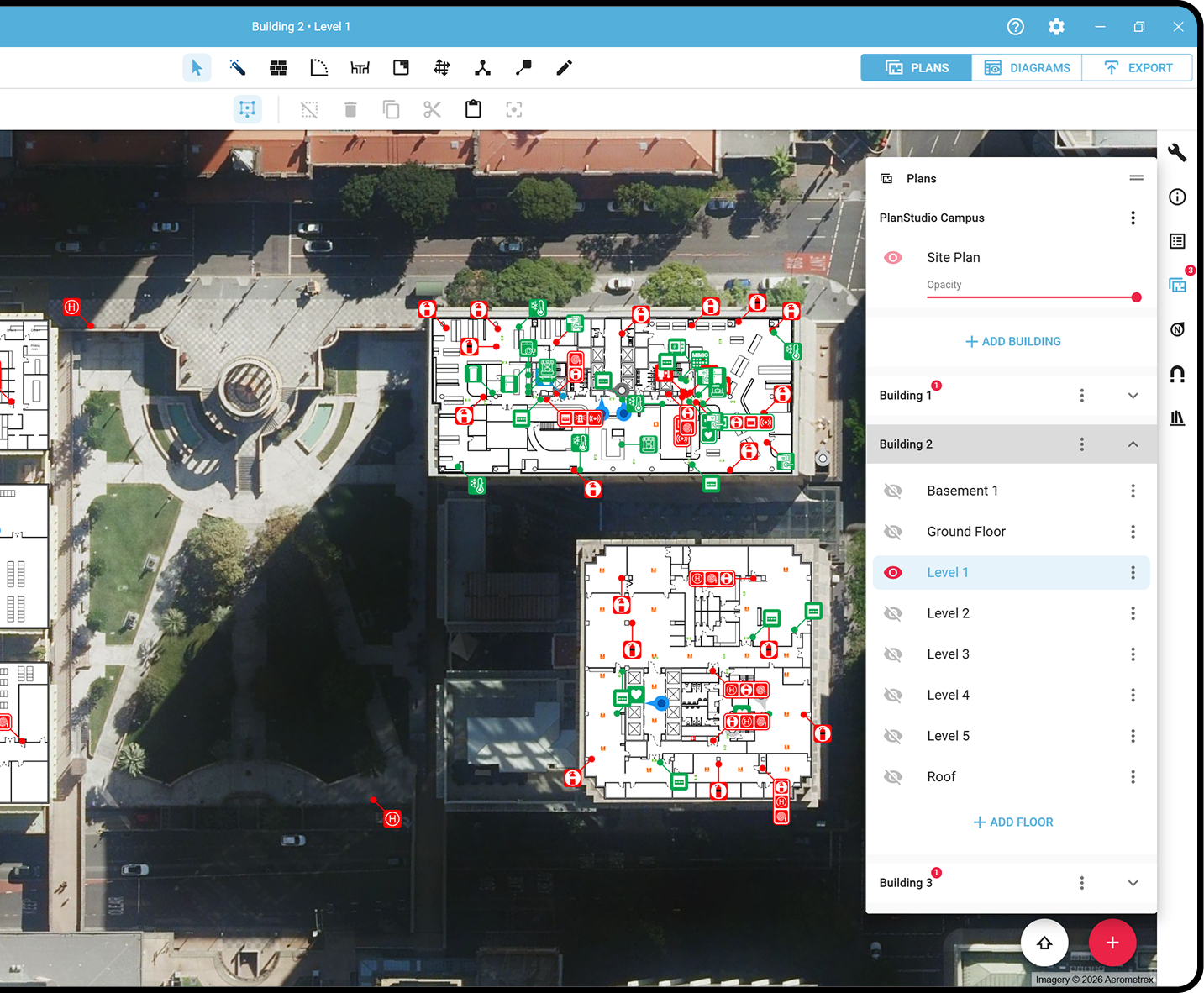
Maintain a secure, centralised repository with automatic saving, full plan history and version control. Seamlessly switch between onsite and office-based drafters mid-project, with everyone working from the latest floor plans.
What users say...
We're reinventing drafting together.

“What once took months can now be completed in a week – and simple updates can be done in under an hour. Because the system is so easy to use, we can make updates on the spot using an iPad while we’re in the building.”

"PlanStudio® has given me a new perspective on how we deliver evacuation diagrams, I was amazed how great this software was and how efficient and effective it is to use".

"With PlanStudio®, the magic really happened when I did a walk through on site and made the changes to a plan right there and then, that was the “uh-huh” moment that really knocked my socks off! Every change required is all editable directly from the iPad!”

“It is a game changer in delivering quality plans for our customers, cutting down on the time spent on site and reducing overall delivery time. We will be recommending customers switch to PlanStudio® plans going forward as it is beneficial for the customer in its digital format and significantly improves turnaround time.”

“When I saw PlanStudio® in action for the first time, I was drawn to its simplicity. It has made us more organised. More efficient and more standardised in how we approach work. Our templates and icons all look the same. We can switch drafters in the middle of a job – one can easily pick up where the other left off- so we have the same visual voice.”

“What came to mind when I was first shown the program was that the opportunities were endless. In putting it to use for Form1, I could see that we could use the floor plan to provide drawings for any asset across an entire site. That is the beauty of the program, it is flexible and can be adapted to your needs.”
PlanStudio® at a glance
Draft, edit and publish spatially accurate floor plans, with instant evacuation sign generation and secure cloud storage built in.
Locate assets
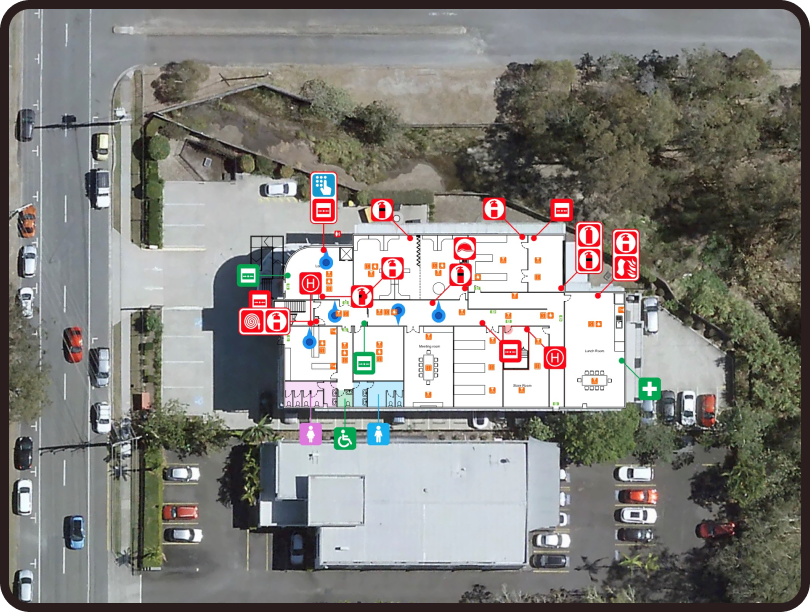
PlanStudio® can be used for wayfinding and supporting contractors in finding and maintaining site assets faster.
Compliance
Standardise evacuation diagrams to meet regulatory requirements with built-in structure and consistency.
Multi-site management
PlanStudio® is designed for managing multiple buildings. Manage 200+ sites floor plans from one solution.
Evacuation signs
Generate compliant evacuation diagrams instantly – ready for publishing and installation. Eliminating compliance gaps.
Active users generate 120+ signs per month.
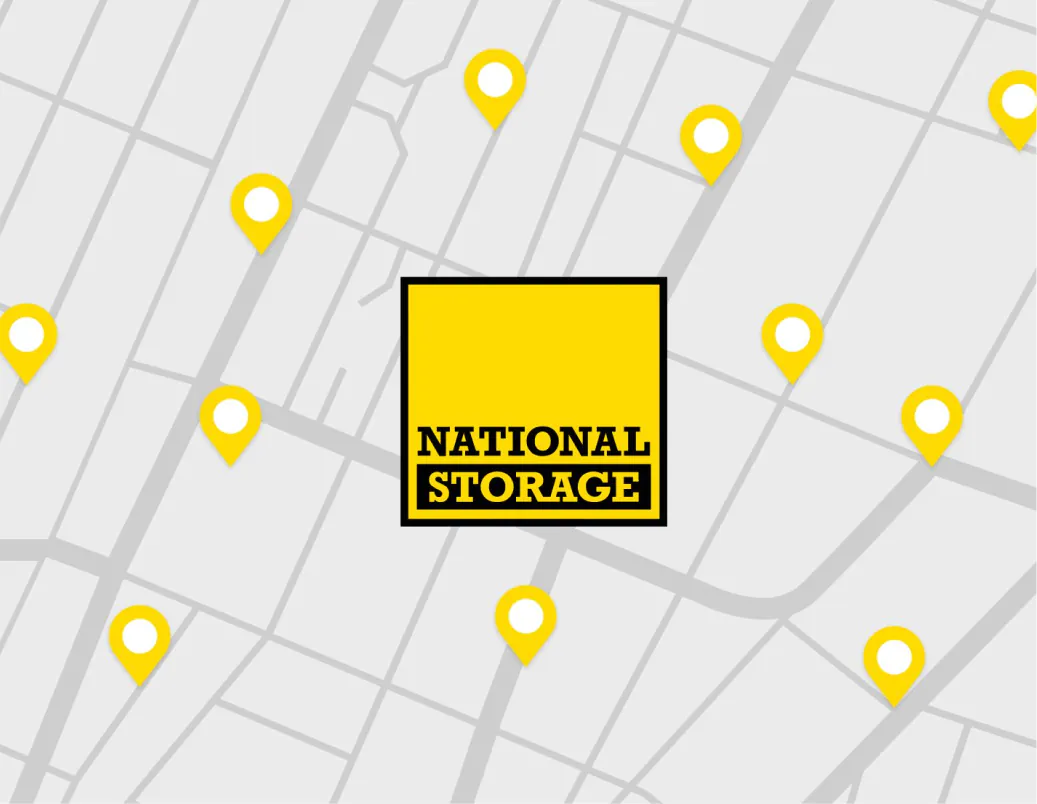
National Storage’s accurate, interactive floor plans
Find out how this national storage solution provider used PlanStudio®’s API to embed spatially accurate plans for 200+ sites into their website – supporting wayfinding, asset management and safety documentation from one structured system.

National Storage
200+ sites across Australia and New Zealand
PlanStudio® replaced inconsistent floor plans with interactive digital building maps, improving wayfinding and operational visibility across National Storage’s facilities.
“PlanStudio®’s interactive floor plans make unit and centre navigation effortless and help us deliver a better move-in experience.”
Aimeé Sibbald, Operations Project Manager, National Storage
Built for your environment
From complex infrastructure to everyday operations, Locatrix delivers efficiency and reduces risk.
Ready to create compliant evacuation diagrams faster?
See how PlanStudio® works for your team in minutes.
Trusted by
778,000+
users
Frequently Asked Questions
Common questions about our solutions answered!
PlanStudio® is purpose-built for the industry, not adapted from generic drafting or spreadsheet software. Unlike other CAD software, Excel or Visio, PlanStudio® combines all the tools you need in one streamlined platform, with built-in automation to reduce manual work, minimise errors, and standardise outputs across your team. Instead of juggling multiple files and formats, you can manage sites, buildings and floor plans in a single system designed specifically for your workflow and the creation of evacuation diagrams and your outputs.
PlanStudio® is purpose-built for the industry, which means no redundant tools, no complicated setup and no unnecessary CAD complexity. The platform is standardised, layers are automated and everyone uses the software in the same way, making it simple to keep plans consistent across your team. To help you get started, we provide:
- Built-in training guides, available in app.
- A comprehensive knowledge base.
- A dedicated support team.
- Step-by-step video tutorials.
Compared to traditional CAD software, most users can produce their first compliant diagrams by the end of the day.
Start with whatever information you have, even if it’s incomplete or from multiple sources. PlanStudio® includes up-to-date satellite imagery, giving you an accurate building outline as a reliable starting point. From there, you can import from a wide range of sources, including:
- Photos (taken on site or provided by a client, including old evacuation diagrams or other signage).
- PDFs from Real estate, CAD files or old architectural plans.
- Hand-drawn sketches & lidar scans.
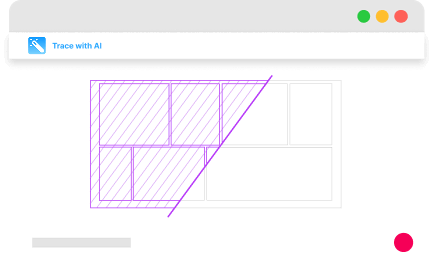
You can then refine and update your plans using our AI-powered tools or our purpose-built drawing tools for full control and ownership over your plans, If you’d rather not do it yourself, our team can handle the heavy lifting for you delivering completed plans for your review and approval.
Absolutely, you have the option to convert it to a PDF format. Additionally, PlanStudio® allows you to import geoTIFF and other formats as well, there are tutorials and step by step guides that can assist you to import any type of existing plan.
Once you are signed up, it takes moments to download the app or launch it straight from your web browser and get started.
PlanStudio® is designed to become a living digital version of your buildings not just a static, disjointed set of drawings. Updating your facility is as simple as modifying your base plan and clicking publish. All diagrams and outputs reflect the changes automatically, ensuring continual accuracy making keeping plans up-to-date easy. Your account includes the flexibility to:
- Create and customise equipment libraries.
- Build templates tailored to your workflows and outputs.
- Add custom data fields relevant to your compliance needs.
- Design themes and style templates that align with your company’s branding.
Under AS 3745-2010, emergency plans and procedures must be reviewed regularly and whenever there are changes that affect emergency response.
This may include:
- Building alterations.
- Changes to exits or safety equipment.
- Changes to occupancy or building use.
PlanStudio® allows diagrams to be updated quickly and republished instantly, ensuring documentation remains aligned with real-world conditions.
Spatial accuracy in PlanStudio® is simply part of the process, PlanStudio® seamlessly integrates indoors and outdoors via high-resolution satellite imagery. This ensures all floor plans have real-world size and location data, that not only reduces the margin for error when creating floor plans off poor original base plans but also enables users to accurately gauge the dimensions of their floor plans and the real-world location of exits, assets and data points.
Locatrix takes data security seriously and our products are continuously subjected to security audits and testing by external vendors in accordance with ISO 27001. To find out more about how we keep your data safe, check out our Security & Compliance page.
Need more help?
Get in touch with our team.
Stay up-to-date
See our latest PlanStudio® updates.
Numbers that matter
Locatrix supports organisations across drafting, training and emergency response. These numbers reflect real buildings, real teams and real operational outcomes.
144K+
Active building floor plans
778K+
People trained
184M+